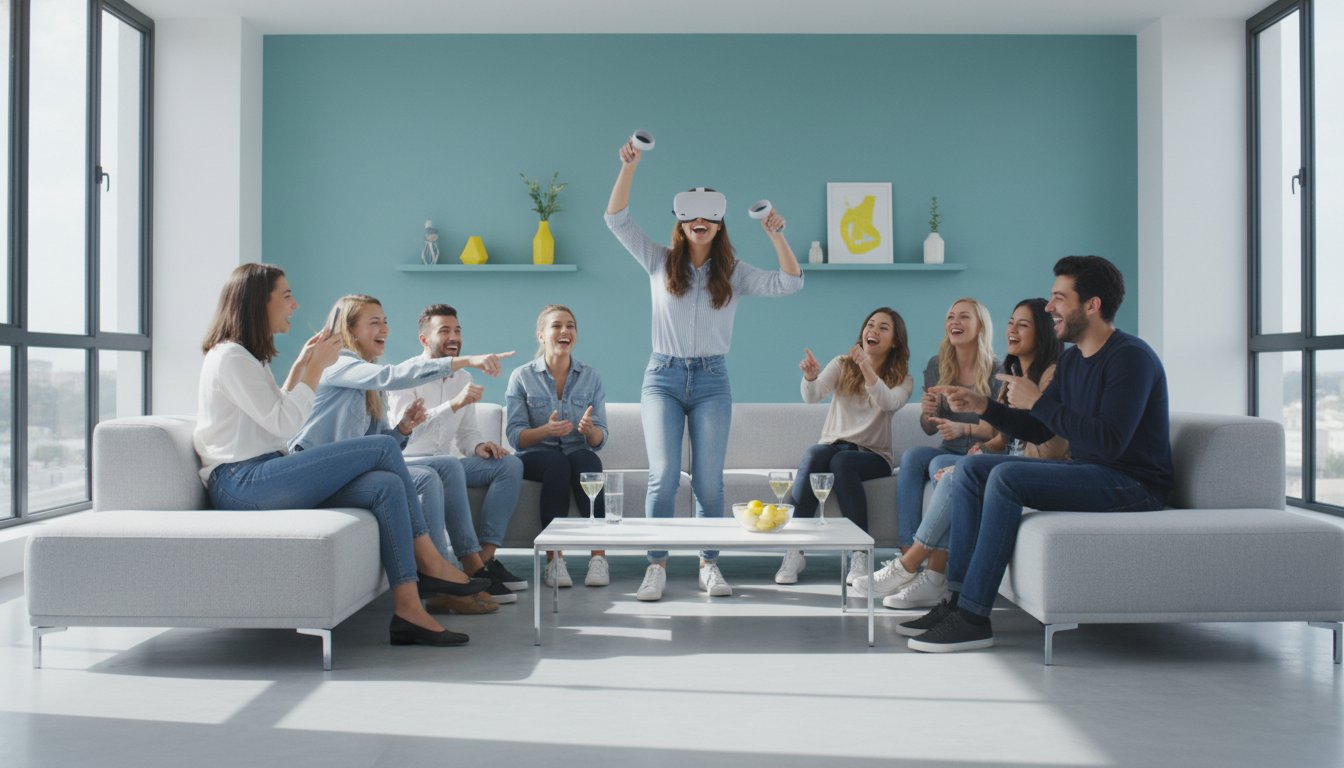
VR headset rental for party: A practical guide to P2P options
May 24, 2026
Published by Life4Rent · Operated by Brohf Software OÜ
A professional event company often charges more to set up virtual reality than the rest of your party costs combined. You don't need a full technical crew when a neighbor nearby has an Oculus Quest 2 they aren't using. A VR headset rental for party through a peer-to-peer platform like Life4Rent gives you access to high-quality hardware without the corporate price tag.
It's natural to feel anxious about a guest accidentally dropping an expensive device or the hygiene of sharing a foam face mask. You want your friends to enjoy the experience, but you don't want to spend the night acting like a security guard for the equipment. This guide provides a practical plan to help you find reliable lenders, set up a safe play zone, and keep everything sanitized.
We'll look at which games work best for quick rotations and how to manage the setup without technical frustration. You'll also find specific safety tips to ensure your guests stay comfortable and avoid the motion sickness that can sometimes spoil the fun.
Why VR headset rentals work for modern parties
Traditional party entertainment like board games or movies can feel a bit repetitive after a while. A VR headset rental for party hosts offers a way to break that routine without asking guests to sit through a long film. Most people have a general idea of what is virtual reality, but the actual experience is still new enough to feel special for many. It creates a focal point for the evening that encourages people to get out of their seats and interact.
To better understand how this technology fits into an event, watch this helpful video:
You don't have to worry about a device gathering dust on a shelf for months after the event ends. Local owners on peer to peer equipment rental platforms like Life4Rent often have popular titles like Beat Saber or Superhot already installed. This saves you the extra cost of buying games on top of the hardware. These individuals frequently share their own shortcuts for setting up "guardian" boundaries, which helps keep your furniture safe from accidental swings during a busy event.
The cost of ownership vs. rental
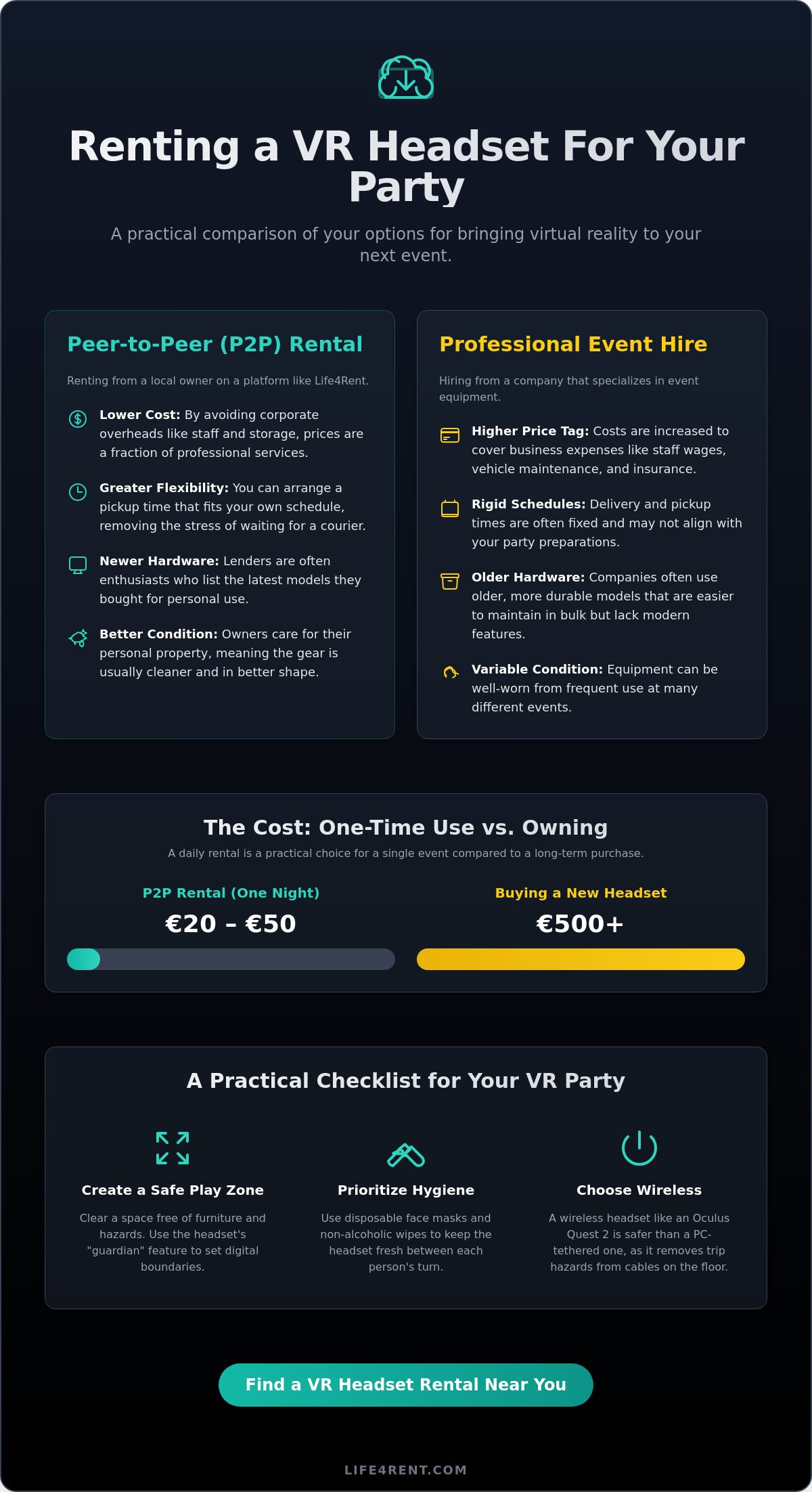
A brand-new high-end headset often costs over €500, and that's before you buy any software. Daily rental rates typically stay between €20 and €50, making it a much more realistic choice for a single Saturday night. You get to try the latest hardware without a long-term financial commitment. P2P options are especially useful if you're thinking about buying a headset later but want to see how it handles a crowded room first.
Guest engagement and social dynamics
Safety is a factor you shouldn't ignore, as the UL 8400 standard suggests devices shouldn't exceed 43°C to remain comfortable during use. Most manufacturers also recommend a minimum age of 13 for users. A local owner can often tell you if their specific VR headset rental for party setup runs hot or if it's a good fit for a younger crowd. This direct advice is something you won't get from a standard retail store.
P2P rental vs. professional event hire
Local pickups are another major advantage of the P2P model. Large rental firms typically operate on rigid delivery schedules that might not align with your Friday night preparations. When you use a peer to peer equipment rental platform, you can often arrange a pickup time that fits your own commute. This flexibility removes the stress of waiting around for a courier who might be stuck in traffic.
Lenders on these platforms are usually enthusiasts who take care of their gear. They don't treat their headsets like inventory; they treat them like personal property. This often means the equipment is in better condition than the well-worn units found at event hire companies. You can browse the electronics on Life4Rent to see what's available in your immediate neighborhood.
Flexibility and hardware choice
Professional firms often stick to older, ruggedized hardware that is easier for them to maintain in bulk. Individual owners are more likely to list the newest releases because they bought them for personal use. You have several options when choosing hardware:
- Rent a single high-end device for a small, intimate group.
- Source multiple headsets from different neighbors to avoid wait times.
- Mix various models to see which one your guests prefer before buying your own.
Insurance and protection plans
Accidents can happen when people are wearing headsets and can't see the room around them. Many P2P marketplaces offer built-in protection plans that cover both the owner and the renter for accidental damage. You should always check the specific terms of these plans before you confirm a VR headset rental for party.
Professional contracts sometimes include dense legal language and hidden fees for minor wear and tear. A P2P platform usually has a more straightforward review system that keeps both parties honest. It's also a good idea to discuss VR hygiene and safety standards with the owner to ensure the equipment arrives clean and ready for your guests. Owners who value their reputation will usually provide a well-maintained, sanitized kit that meets your expectations.
Choosing the right headset for your guests
The choice of hardware determines how much time you'll spend troubleshooting instead of enjoying the event. Standalone headsets like the Meta Quest 3 are the most practical choice for a VR headset rental for party settings. You don't have to deal with long cables that guests might trip over in a dim room. Most hosts find that the freedom of movement in a wireless system outweighs the slight drop in graphical detail compared to PC-tethered units.
Mixed Reality (MR) features are a huge help for nervous guests. They can see their actual surroundings through the lenses while interacting with virtual objects. This reduces the "claustrophobic" feeling some people get when they're completely blindfolded by a screen. It's also safer in a crowded living room because the user can still see where people are standing. This visibility prevents the disorientation that often leads to motion sickness.
Battery life is a common bottleneck for all-night events. Most standalone units only last about two hours on a full charge. Look for listings that include an Elite Strap with a battery or a third-party headstrap like those from BoboVR. These add-ons can extend playtime to nearly five hours. This is usually enough to get through a standard evening rotation without needing to tether the guest to a wall outlet.
Meta Quest 3: The party standard
The setup process is fast and intuitive. You can define a safe boundary in under two minutes using the built-in cameras. The library includes classics like Beat Saber and Superhot which are easy for beginners to pick up. It's light enough for most adults and teenagers to wear for 20-minute sessions without neck strain. Manufacturers recommend a minimum age of 13 for these devices to ensure eye safety and proper fit.
High-end alternatives: Apple Vision Pro and Vive
The Apple Vision Pro is an impressive device if you want to show off high-resolution passthrough and spatial computing. However, it's less suited for active multiplayer games and relies heavily on hand tracking which can be finicky for some. Vive headsets are better for specialized seated setups, like a flight or racing sim. You might also want to look at audio equipment to let everyone hear the action.
Managing hygiene and safety at the event
Hygiene and physical safety are the two biggest concerns for anyone arranging a VR headset rental for party use. You don't want your guests to share sweat or accidentally walk into a wall. Most of these issues are easy to manage if you set up a clear system before the first person puts on the hardware. A few small items like disposable masks and a dedicated spotter can make the whole night run much more smoothly.
The best way to keep guests who aren't currently playing engaged is to cast the headset view to a smart TV or a laptop screen. This turns a solitary activity into a group experience where everyone can see the action and react together. It prevents the boredom that can sometimes kill the energy in the room while people wait for their turn.
Physical safety requires a clear space of at least 2x2 metres for each active player. You should assign a "spotter" to stand just outside this zone. Their only job is to watch the player and gently guide them back to the centre if they get too close to furniture or other guests. This is especially important for games that require a lot of movement, as people often lose their sense of direction within seconds of entering a virtual world.
If you need to source multiple devices to keep your guests from waiting too long, you can find local electronics for rent on the Life4Rent marketplace. Two headsets running at once are often better than one high-end unit if you have more than five guests.
Hygiene protocols for P2P rentals
Ask the owner if they use silicone face covers instead of the standard foam. Silicone doesn't absorb sweat and is much easier to sanitize with a quick wipe between sessions. You should set up a dedicated cleaning station near the VR area. Keep a pack of non-alcoholic wipes and disposable VR face masks there so guests can help themselves. It's also a good idea to encourage everyone to wash their hands before and after their turn to keep the controllers clean.
Safe play areas and the "Guardian" system
Virtual boundary systems, often called a "Guardian" or "Chaperone," are your primary safety tool. You must show every guest how the grid appears in their vision when they get too close to the edge of the safe zone. Remove any loose rugs, coffee tables, or charging cables that could cause someone to trip while they are blinded by the headset. Make sure the room has enough light for the sensors to track movement correctly, as dim lighting can cause the virtual world to "drift" and lead to motion sickness. Most manufacturers recommend a minimum age of 13 for these experiences, so keep an eye on younger guests to ensure they follow the safety rules.
How to find a VR headset rental on Life4Rent
The search for a VR headset rental for party starts in the electronics category on Life4Rent. You can filter the results by your specific city to avoid long travel times when you collect the gear. Most owners list their hardware with clear photos, but you should also look for keywords like "Quest 3" or "Vision Pro" to find the specific model you need.
Reviews from previous users are the most reliable way to judge an owner's reputation. Look for comments that mention the cleanliness of the device and the responsiveness of the lender. Owners who consistently receive high ratings are usually more diligent about hygiene and hardware maintenance. This feedback gives you a realistic idea of what to expect before you commit to the rental.
Check the listing details for extras like travel cases or charging docks. These accessories make it much easier to transport the gear safely and keep it powered throughout the night. Communication with the owner is essential to confirm which games are already on the device. You don't want to spend the first hour of your event downloading large files over a slow Wi-Fi connection.
Booking and communication
You'll want to request the rental at least three days in advance to ensure the owner is available. Pickup and drop-off times should be agreed upon early so they don't clash with your event preparations. Most lenders are flexible, but it's better to have a firm plan in place. Ask the owner for a quick 5-minute demonstration when you collect the gear to clarify how the boundary system works or how to toggle between different games.
The hand-over process
Inspect the lenses for any scratches or smudges before you leave with the unit. Deep scratches can ruin the immersion and are often difficult to fix. You should also check that the controllers are paired and have fresh batteries. It's a good idea to bring a spare set of AA batteries just in case the ones provided run out during a long session of a VR headset rental for party games.
You might need extra equipment like power strips or heavy-duty extension cables for your setup. If that's the case, you can find tools for rent near you to complete your party plan. A well-prepared host ensures that the technology works without interruptions, allowing everyone to focus on the experience itself.
Plan your virtual event with confidence
Life4Rent offers access to 17 rental categories, so you can find everything from electronics to specialized tools. You can browse VR headsets for rent on Life4Rent to see what's available in your area. Host a unique event without the usual overhead costs. It's a straightforward process. Have fun exploring new worlds with your guests.
Frequently Asked Questions
How much does it cost to rent a VR headset for a party?
Daily rates for a VR headset rental for party typically range from €20 to €60 on P2P platforms. These prices vary based on the specific model and the accessories included in the listing. Weekend rates are often more cost-effective than single-day prices. Owners might also charge a small security deposit, which is standard practice in the peer-to-peer market.
Is it safe to rent a VR headset from a stranger?
Reputable marketplaces use verified user reviews to help you identify reliable owners. You can check a lender's history and ratings before you commit to the transaction. Most platforms also have built-in protection plans to handle disputes or hardware issues. It's a good idea to meet in a public place for the handover and communicate entirely through the platform's messaging system.
Do I need a powerful computer to use a rented VR headset?
Standalone devices like the Meta Quest 3 don't require an external computer. These headsets have their own processors and storage, so they work as independent units. You only need a computer if you rent a high-end tethered headset like a Valve Index or an older Vive model. For most parties, a standalone unit is the more practical and mobile choice for your guests.
How do I keep the VR headset clean when multiple people are using it?
Disposable face masks and non-alcoholic wipes are the best tools for maintaining hygiene. You should wipe down the plastic surfaces between every turn, but keep the wipes away from the sensitive lenses. Silicone face covers are much easier to clean than the standard foam versions. It's helpful to set up a dedicated cleaning station so guests can see that the gear is being sanitized regularly.
What happens if a guest breaks a rented VR headset?
Protection plans on P2P platforms usually cover accidental damage during the rental period. You should check the specific terms of the marketplace you use to understand your liability. If an accident happens, take photos of the damage immediately and notify the owner through the official messaging system. Most minor issues are resolved through the platform's dispute resolution process rather than through direct confrontation with the lender.
Can I cast the VR gameplay to my TV so everyone can watch?
Most modern headsets allow you to cast the view to a smart TV or a mobile app. This feature is essential for a VR headset rental for party because it keeps the non-players engaged with the action. You'll need a stable Wi-Fi connection to ensure the video stream doesn't lag. If your TV doesn't support direct casting, you can often use a Chromecast or a laptop connected via HDMI.
How much space do I need for a VR party at home?
A clear area of at least 2x2 metres is the minimum requirement for a single player. You should remove all furniture, rugs, and low-hanging lights from this zone to prevent accidents. If you have multiple headsets running at once, ensure there is enough distance between the players to avoid collisions. A larger room is always better because it allows for a safer virtual boundary setup.
What are the best VR games for a group setting?
Games with short rounds and simple controls work best for parties. Beat Saber is a popular choice because it's intuitive and fun to watch. Superhot VR and Richie's Plank Experience are also great for quick rotations because they provide immediate thrills. You should look for titles that offer asymmetric multiplayer, where people outside the headset can interact with the player using a phone or a second controller.
Related guides on Life4Rent
Ready to rent instead of buy? See all party equipment available to rent on Life4Rent →
Life4Rent
Rent it. Earn from it. Own less, access more.
Browse peer-to-peer rentals near you, or list what you own and start earning — all protected by Life4Rent Protect.
About the author
Amsterdam, Netherlands
Joshua writes about the financial side of renting and earning on Life4Rent. His guides focus on helping people understand the real cost of ownership, calculate rental income potential, and make smarter decisions about buying versus renting. He previously wrote on household economics and personal budgeting for a pan-European finance publication.