Rent a Drone for Vacation with Convenient Pickup and Returns
November 18, 2026
Published by Life4Rent · Operated by Brohf Software OÜ
A drone is only one part of planning a vacation rental. When you rent a drone for vacation, pickup and return arrangements matter just as much as choosing equipment suited to your trip.
It’s sensible to confirm handoff details before you travel and check that the rental includes the batteries, filters, controller, or carrying case you need. For a rental sent by shipping, return the equipment by the first business day after the final rental day. Pickup arrangements depend on the listing, so compare its stated handoff options with your itinerary.
The model and included gear can shape what you’re able to capture, while renting can give you access to newer equipment without buying a drone for occasional use. This guide explains how to plan pickup and returns, what models and accessories listings may include, and what to consider when choosing equipment for your vacation. It also covers how a peer-to-peer marketplace such as Life4Rent connects people looking to rent everyday items with people who list them.
How does the rental provider arrange drone pickup and return?
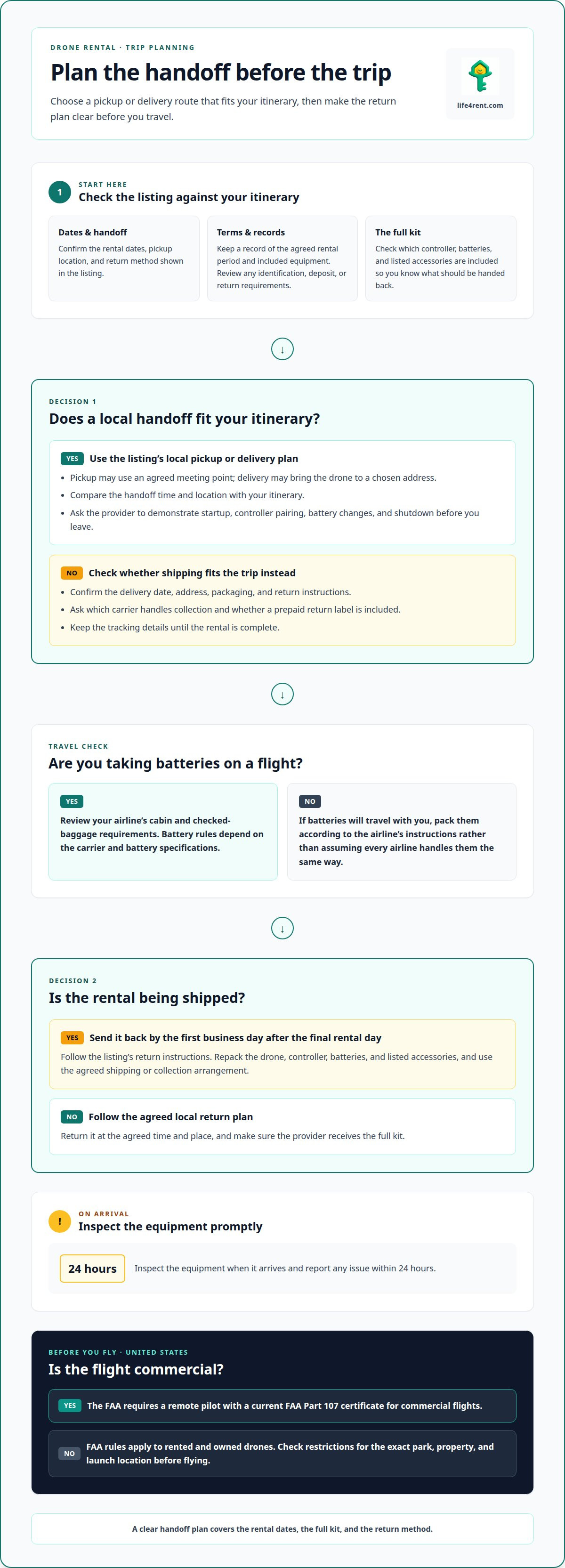
Before booking, match the handoff method to your itinerary and travel dates. Confirm where you’ll receive the drone and how it must be returned.
Booking and Pickup Arrangements
Once you choose a listing, confirm the rental dates, pickup location, and return method shown there. Keep a record of the agreed rental period and included equipment. Review the listing’s terms for any identification, deposit, or return requirements before booking.
Local Pickup and Delivery Arrangements
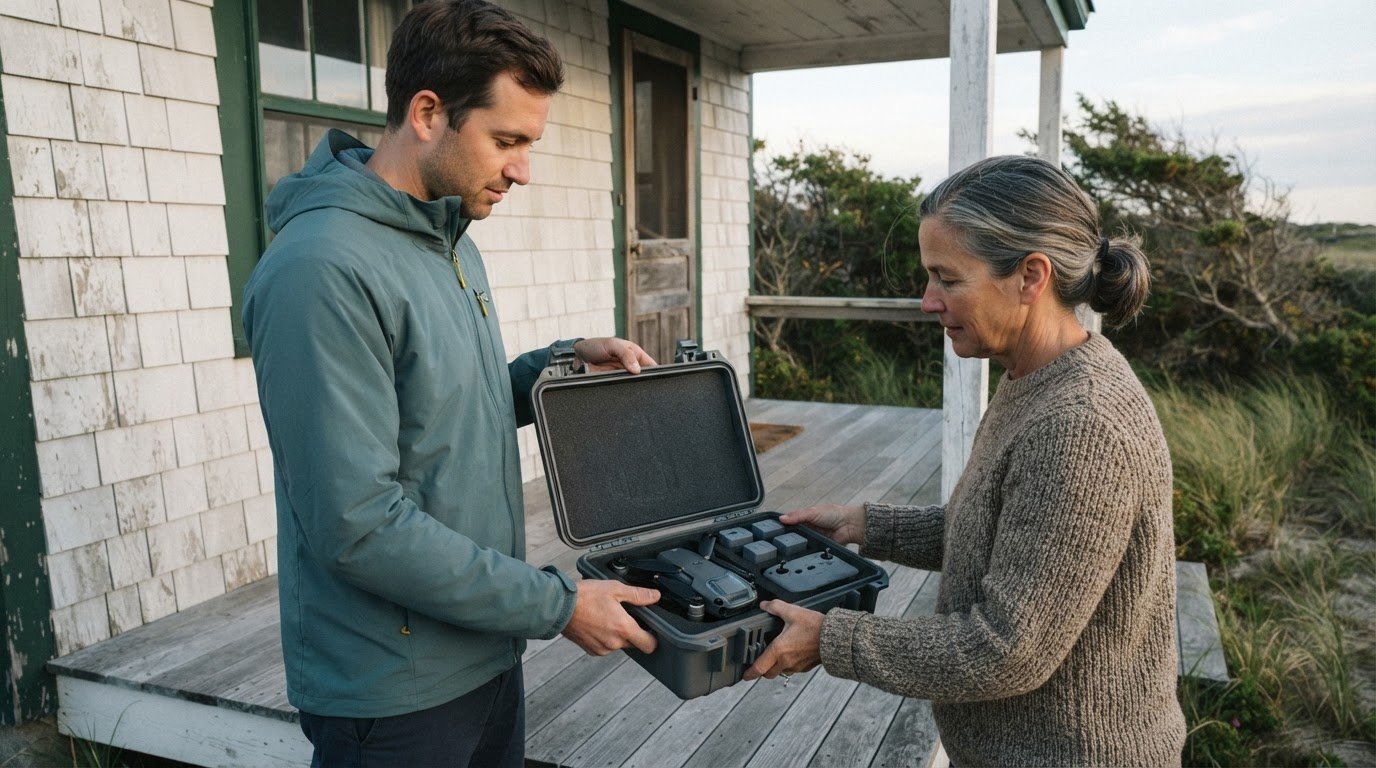
Local pickup may use an agreed meeting point. Delivery may bring the drone to a chosen address. Compare the handoff time and location with your itinerary. Before leaving, ask the provider to demonstrate startup, controller pairing, battery changes, and shutdown.
FAA rules apply to rented and owned drones. For commercial flights in the United States, the Federal Aviation Administration requires a remote pilot with a current FAA Part 107 certificate. Check restrictions for your exact park, property, and launch location before flying.
Shipping and Collection Arrangements
Shipping can help when local pickup doesn’t suit your trip. Confirm the delivery date, address, packaging, and return instructions before booking. Ask which carrier handles collection and whether a prepaid return label is included. Keep the tracking details until the rental is complete.
Airline battery rules depend on the carrier and battery specifications. Review your airline’s cabin and checked-baggage requirements before travelling. Pack batteries according to its instructions instead of assuming every airline handles them the same way.
Return Arrangements
Check the listing’s return instructions and plan whether you’ll return the drone in person, arrange collection, or ship it back. Repack the drone, controller, batteries, and listed accessories. Shipped rental equipment must be sent back by the first business day after the final rental day.
Inspect the equipment when it arrives. Report any issue within 24 hours. For a local handback, follow the agreed return time and place, and make sure the provider receives the full kit.
Drone models and included equipment
A vacation drone rental can range from a compact camera drone to a larger, production-focused setup. In Los Angeles, listings include DJI Mini models, the DJI Air 3S, and the DJI Mavic 4 Pro. The right choice depends on the footage you want and how much equipment you’re comfortable carrying.
Look beyond the model name. The accessories in a listing can affect how ready the drone is for a day of filming. For example, Los Angeles listings describe:
- A DJI Mini 4 Pro with a remote, ND filters, and two batteries.
- A DJI Mini 3 with a DJI RC touchscreen remote and ND filter set.
- A DJI Mavic 2 Pro with a 128GB card, ND filter, two batteries, and case.
- A DJI Air 3S Fly More Combo with an RC 2 remote.
Each accessory has a practical purpose. Extra batteries can reduce charging interruptions, while a memory card gives you somewhere to save footage. Some kits include ND filters, and a case or backpack can make transport easier. Don’t assume another model comes with the same accessories.
Match the kit to your trip. A compact Mini setup may suit a light packing plan, while a larger camera package can add equipment to carry. If you’re filming with a separate camera, one Los Angeles listing pairs a Sony FX30 with a DJI Mini 4 Pro. Treat the listing’s exact contents as the basis for comparing options.
Before choosing, read the equipment list and confirm what comes with the drone, including the controller, batteries, storage card, filters, and carrying case. That way, you won’t plan around accessories that aren’t part of the rental. Also consider whether the full kit will fit in your travel bag and suit your intended use.
Access to updated drone technology
A rental lets you choose equipment for one trip without buying a drone for occasional use. Listings in Los Angeles include the DJI Mini 5 Pro Fly More Combo Plus with an RC 2 remote, and the DJI Mavic 4 Pro Drone Creator Combo. These examples show how rental options can include different models and configurations.
Your needs may change from one trip to another. A compact option may suit light travel, while a different camera drone may be better for a planned shoot. Instead of choosing by model name alone, consider what you want to capture, how much equipment you’ll carry, and which accessories the listing includes.
- The DJI Mini 5 Pro Fly More Combo Plus listing names an RC 2 remote and batteries.
- The DJI Mavic 4 Pro Fly More Kit is listed as a separate rental option.
- A DJI Mavic 3 Pro listing offers another model to compare for vacation footage.
A named configuration doesn’t guarantee that every listing includes the same kit. Check the specific equipment details, especially the remote and batteries. A Fly More or Creator Combo label can help identify a configuration, but rely on the listing’s itemized contents when planning what to pack and film.
You can also try a model before deciding whether it suits future projects. For example, you could choose the DJI Mavic 4 Pro for a trip requiring a particular setup, then select a smaller kit next time. The useful comparison is between your planned footage and the equipment offered, not simply between model generations.
A newer model name doesn’t automatically make a drone the better fit. A vacation focused on brief scenic clips may call for a different setup than a project involving varied locations and longer filming sessions. Choose a listing whose stated equipment supports your plans, and consider how much carrying space you’ll have.
Where can I rent a drone for vacation in the United States?
Start with the city where you’ll collect the drone, not just your destination. Listings include rental options in Los Angeles, Irvine, and Newport Beach. Location matters: a listing near one stop on your vacation may be inconvenient for another. Compare the stated pickup area with your itinerary before choosing.
Los Angeles listings include the DJI Mavic Air and DJI Air 2S. Near Irvine, examples include the Skydio 2 and DJI Mavic 2 Pro. Newport Beach has a listed DJI Mavic 3. These are location-specific examples, not a guarantee of inventory across every US destination.
- In Los Angeles, listings include a DJI Air 2S and a DJI Mavic Air.
- Near Irvine, a DJI Mavic 2 Pro listing is 10.1 miles away.
- A DJI Mavic 4 Pro listing is 38.3 miles from Irvine.
- In Newport Beach, a DJI Mavic 3 listing provides another local example.
Distance can affect whether a rental works with your plans. A listing 38.3 miles from Irvine may require more travel than one 10.1 miles away. Compare the location with your arrival point, accommodation, and planned route. Then consider whether pickup or delivery suits your schedule.
Some listings describe a drone with an operator, rather than equipment alone. For example, Los Angeles listings include a DJI Mavic 2 Pro with an operator and a DJI Inspire 2 with an operator. That distinction matters if you want someone else to handle the flight. An equipment-only rental suits a different plan and requires you to operate the drone yourself.
For a trip involving several stops, decide which city offers the most practical handoff before selecting a model. If you’re also sorting other travel gear, browse everyday rental listings for items across categories such as electronics and outdoor equipment.
Life4Rent: Life4Rent is a rental marketplace where users can list and rent daily items across 17 categories ranging from tools, electronics, outdoor/sports, homes, baby etc
Life4Rent connects people who want to rent everyday items with people listing them. Its 17 categories include electronics and outdoor and sports gear, alongside tools, homes, and baby products. For a trip, that broader marketplace can be useful when you’re arranging more than camera equipment.
Drone listings and handoff details vary by rental, so use the item listing to understand what’s offered and how the arrangement works. The same peer-to-peer approach also lets people list items they own, making the marketplace relevant to both renters and potential listers.
If you have a question about using the marketplace, contact Life4Rent.
Plan your next step before you travel
Give your drone plans a clear purpose before choosing a rental. Think about the scenes you want to capture, how much equipment you’re willing to carry, and whether you’re comfortable operating the aircraft yourself. These considerations can help narrow down the right kind of listing for your trip.
When you rent a drone for vacation, treat the flight plan as part of the travel plan. Consider where you hope to fly, how the drone fits into each day, and what you’ll do if the weather or itinerary changes. Planning ahead can help you make better use of the equipment you choose.
Life4Rent offers a peer-to-peer marketplace for renting and listing everyday items. For questions about rental options, contact Life4Rent about your plans. Before booking, check the listing details and agree on pickup, return, and any operating requirements with the owner.
Frequently Asked Questions
Which drone rental companies offer vacation rentals and shipping?
Specialist camera-equipment rental businesses and peer-to-peer marketplaces are two places to look. Their locations, delivery options, and inventory differ, so choose a listing that fits your route and states how the equipment will reach you. A marketplace connects renters with individual owners, but each listing sets its own handoff details. Confirm the shipment destination and return method before finalizing travel plans.
Does drone rental include insurance or damage protection?
Eligible rentals can offer optional protection; it is not insurance and reimbursement is discretionary. Read the damage, loss, and deposit terms before accepting the equipment, and don’t treat a deposit as insurance. Life4Rent Protect is optional on eligible listings, but it isn’t insurance, and reimbursement is discretionary. Check the specific listing’s terms so you understand what protection, if any, applies to that rental.
What happens if a rented drone is damaged, lost, or returned late?
The rental agreement sets out the process and any renter responsibility for damage, loss, or late return. If something happens, document the drone’s condition and contact the owner promptly through the agreed channel. Keep messages and relevant photos together. On Life4Rent, disputes follow a process of direct communication, filing a dispute, mediation, and a final decision. Don’t assume a deposit or protection option covers every situation.
Related guides on Life4Rent
Ready to rent instead of buy? See all cameras & drones available to rent on Life4Rent →
Life4Rent
Rent it. Earn from it. Own less, access more.
Browse peer-to-peer rentals near you, or list what you own and start earning — all protected by Life4Rent Protect.
About the author
Tallinn, Estonia
Philip leads editorial at the Life4Rent Renting Academy, overseeing guides on peer-to-peer rental, platform safety, and consumer finance across 25 markets. He has spent over a decade covering the sharing economy and digital marketplaces, helping renters and owners navigate the shift from ownership to access.