Portable Wifi Hotspot Rental for Travel: A Practical Guide for 2026
May 25, 2026
Published by Life4Rent · Operated by Brohf Software OÜ
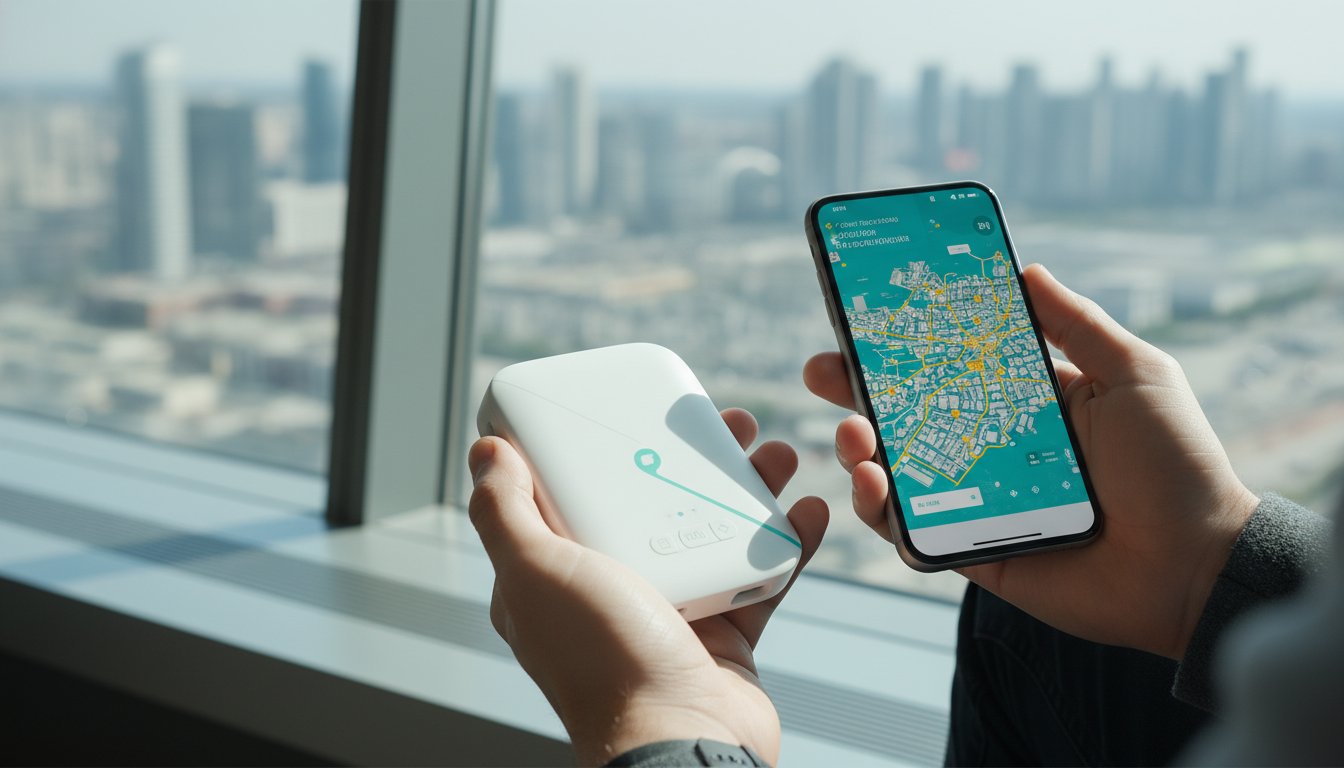
The most expensive way to stay connected abroad isn't always your carrier's roaming plan. It's often the "convenient" kiosk you find right at the arrivals gate. While a portable wifi hotspot rental for travel might seem like an extra step, it's a practical way to avoid those daily roaming fees that add up fast. You don't have to rely on slow hotel wifi that barely loads a map when you're trying to navigate a new city.
Most travelers just want a connection that works the moment they land without a complicated setup. Reliable mobile internet for a 2026 trip shouldn't involve hidden fees or long contracts. You can access fast data in multiple countries while keeping daily costs low and the pickup process simple.
Marketplaces like Life4Rent offer an alternative to traditional corporate rentals by letting you rent devices directly from other users. This approach often provides better hardware for less money, though it requires checking reviews and specific terms. Understanding these options helps you skip the airport lines and stay connected on your own terms.
The Basics of Mobile Wifi Hotspots for International Travel
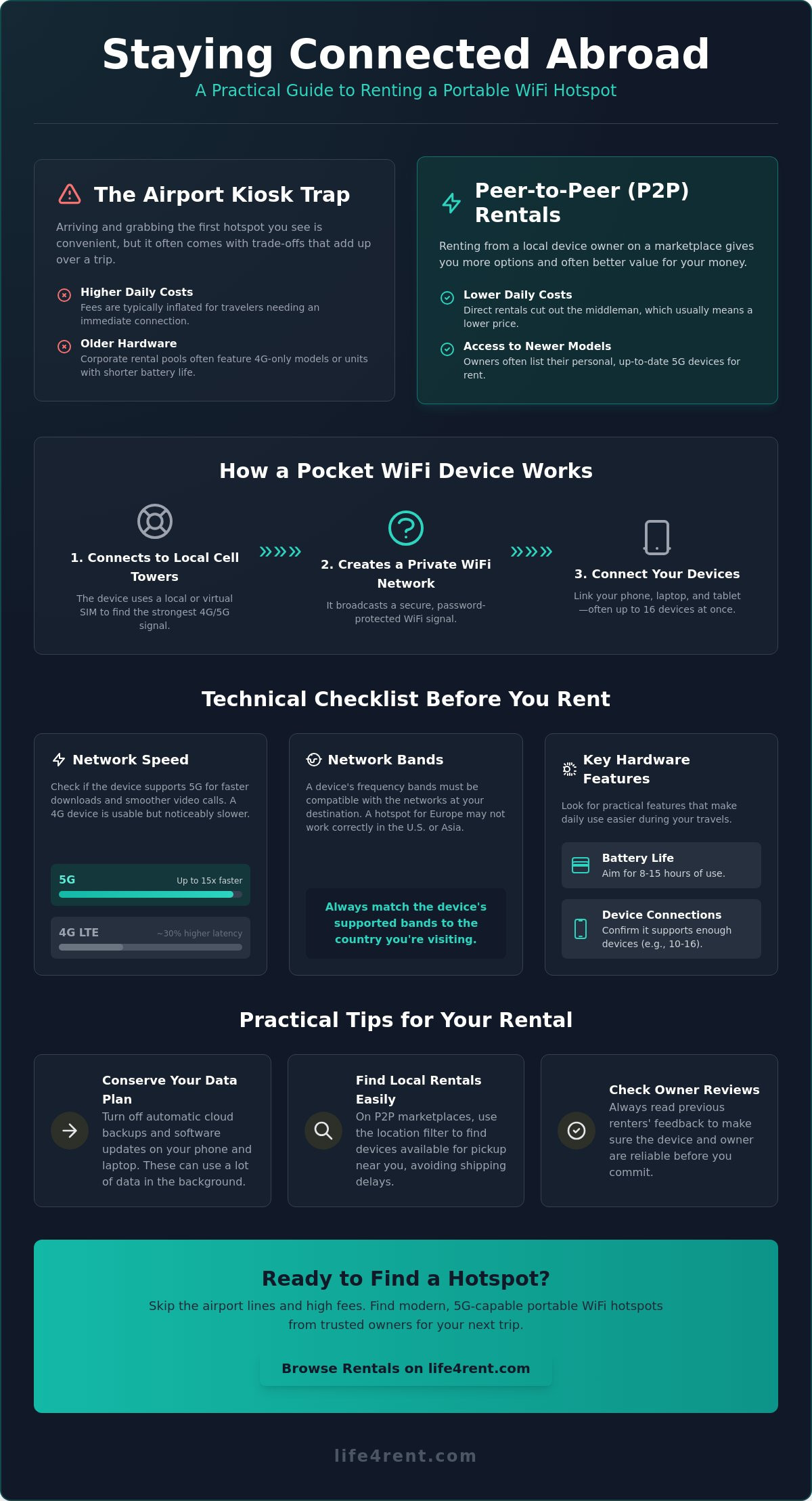
A portable hotspot is essentially a pocket-sized router that catches a cellular signal and broadcasts it as a private wifi network. It's a straightforward solution for anyone who needs reliable internet without swapping SIM cards in their primary phone. You can find The Basics of Mobile Wifi Hotspots helpful if you're curious about how these devices evolved from early mobile router technology to the sophisticated units we use today.
To better understand this concept, watch this helpful video:
Modern units utilize either a physical SIM slot or "Virtual SIM" technology, which is often called CloudSIM. This technology is helpful because it allows the device to scan for the strongest available signal and switch between local carriers automatically. You won't have to manually hunt for a new network if you cross a border or move into a different region. Active battery life on these units usually ranges between 8 and 15 hours of continuous use, which is enough to cover a full day of sightseeing or remote work before you need a recharge. For those looking to monetize their travels, Living the Hustle offers guidance on creating and selling profitable digital products from anywhere in the world.
How a Pocket Wifi Device Works Abroad
The Difference Between Buying and Renting
Your decision to buy or rent hardware depends on how often you're actually in the air. If you travel every single month for business, owning a high-end device provides long-term consistency and control. You'll be responsible for your own data packages, but the hardware is always ready to go.
However, a short-term portable wifi hotspot rental for travel is more practical for a typical two-week holiday. Marketplaces like Life4Rent give you access to professional hardware without the high upfront cost of buying a 5G-capable unit. This preference for renting specialized gear is common in other niches; for example, travelers heading to the slopes in Christchurch often choose Snowride Sports for premium ski equipment rather than buying and transporting bulky gear. You can pick up a device that fits your specific destination and return it when your trip is over, which keeps your luggage light and your travel budget predictable.
While technical gear is essential for the slopes or staying connected, your everyday travel wardrobe is just as important for comfort and expression; for instance, is my life specializes in sports-themed graphic t-shirts that allow you to showcase your interests while on the move.
Technical Specifications to Check Before You Book
Speed is the first thing you'll notice when you turn on your device. Most modern travelers in 2026 expect 5G connectivity because it's approximately 15 times faster than older 4G LTE networks. You should verify that your portable wifi hotspot rental for travel supports 5G bands to avoid frustrating lag or 30% higher latency during video calls. If you only plan to check emails, a 4G device might save you money, but the speed difference is noticeable on media-heavy sites or when you're downloading offline maps for a new city.
Network bands are another critical detail that many people overlook. A device that works well in London might struggle to find a signal in New York because different regions use different frequencies. You should always check the Technical Specifications to Check before you commit to a rental. This ensures the hardware is compatible with the specific local towers in your destination, such as the distinct 5G bands used across the United States.
Physical hardware design impacts your daily experience more than you might think. Look for a unit with a USB-C charging port so you don't have to carry extra cables. You should also confirm the maximum number of devices the hotspot can support. Some models like the GlocalMe Numen Air handle 16 devices simultaneously, while more basic units might cap out at five or ten.
Battery Life and Portability
Internal batteries need to be substantial if you're out all day. You should look for a capacity of at least 3000mAh to ensure the device lasts from morning until evening without a recharge. Slimmer hotspots are easier to carry in a pocket, but they often sacrifice battery life for their small size. Some larger models even double as a power bank, which lets you charge your phone if it dies while you're navigating a foreign city.
SIM Lock and Data Flexibility
Data flexibility is a major factor in the total cost of your trip. Locked devices force you to buy data through a specific manufacturer app, which is often more expensive than local rates. Unlocked devices give you the freedom to buy a cheap local SIM card at your destination and plug it right in. This is one reason why the peer to peer equipment rental model is becoming popular among frequent travelers. Owners on these platforms often provide unlocked hardware that isn't tied to a single corporate provider. You can browse the electronics category on Life4Rent to see which specific models are available in the city you're visiting.
Comparing P2P Rentals with Corporate Kiosks
Airport kiosks are the most visible option, but they're rarely the most practical choice for a modern trip. These desks pay high monthly rent to the airport authority, and those costs are always passed down to you through higher daily fees. You'll often find that the hardware behind the glass is older 4G stock that has been handled by hundreds of previous travelers. A portable wifi hotspot rental for travel from a local owner usually gives you access to newer technology, such as 5G-capable routers that offer better battery life and faster speeds.
- Secure lockers near your train station
- Direct delivery to your rental apartment, a service frequently coordinated by premium Swiss property managers like GuestLee for their international guests.
- A quick meeting at a local cafe near your first stop
The Cost Advantage of Peer-to-Peer
Price competition is a major benefit of using a marketplace like Life4Rent. Since individual owners set their own rates, they often undercut corporate brands to attract more bookings. You'll see this difference most clearly on longer trips. While a corporate rental might charge a flat rate of $10 to $15 every single day, local owners often provide discounts for weekly or monthly stays. This makes high-end connectivity more affordable for extended holidays; for those needing professional accommodation during these longer trips, you can discover MOT Rentals for strategic corporate housing in Buenos Aires and Mendoza.
Reliability and Trust
Practical Tips for Reliable Internet on the Road
Test the connection immediately after you pick up the device. Don't wait until you get to your hotel or a remote location to find out there's a password error or a SIM activation delay. If you're using a portable wifi hotspot rental for travel, a quick two-minute test at the meeting point allows you to ask the owner questions in person. You'll save hours of back-and-forth messages later in the evening if something isn't working as expected.
Managing Your Data Usage
Data disappears quickly if you don't manage your device settings. High-definition video streaming and large software updates are the primary culprits for hitting your daily limit. You should turn off automatic cloud backups for photos and system files on your laptop and phone. These background tasks can consume several gigabytes in a single hour without you even noticing, which can lead to throttled speeds or extra costs.
Messaging apps and navigation tools like Google Maps use very little data. They're safe for all-day use even on restricted plans. If you're worried about costs, set a data limit in your phone's settings to receive an alert before you hit your cap. This helps you prioritize your data for essential tasks like checking train schedules or booking local tours while you're on the move.
Network Coverage Secrets
Environment affects your signal strength more than the device itself. Thick stone walls in old European cities or basement apartments are notorious for blocking cellular signals. You should place your hotspot near a window to get the best reception from the nearest tower. This simple adjustment can often double your download speed in a crowded urban area where signals struggle to penetrate buildings.
If your travel plans involve more than just browsing, you might need additional gear to stay productive. You can verify the audio equipment rental section if you need microphones or speakers for a remote presentation or a small event. You can browse all available electronics for your trip at Life4Rent to find the right tools for your specific travel needs.
How to Secure Your Rental on Life4Rent
You can find the right hardware by heading to the electronics category on the marketplace. Type in "wifi hotspot" or "mobile router" to see what's available in your destination city. It's best to filter your results by your specific travel dates and location immediately to avoid looking at devices that aren't ready when you are. This ensures you don't waste time on hardware that is already booked or located across the city from your arrival point.
You should read the full listing description carefully before you commit to a portable wifi hotspot rental for travel. Some owners include a pre-loaded data SIM with a specific gigabyte limit, while others only rent the hardware itself. If the listing doesn't specify, you should ask the owner if the device is unlocked so you can use your own local SIM card. You'll also want to check the owner's response rate and read through their previous rental reviews to see if they are consistently on time and helpful.
Owners with high response rates usually indicate a reliable partner who won't leave you waiting at the pickup point. You can often see if they've rented out other electronics before, which adds an extra layer of confidence in their technical knowledge. If you see reviews mentioning that the battery life was exactly as described, it's a good sign the hardware has been well-maintained and will last through your daily excursions.
The Booking Process
A quick message to the owner helps you confirm the device is still available and in good working order. You can then agree on a convenient pickup point, like a local cafe near your arrival station or even your hotel lobby. Most owners are flexible and will work with you to find a spot that fits your travel schedule. You must always pay through the platform to ensure your money is protected by the marketplace's security policies and dispute resolution systems.
Platform payments keep a record of your transaction and provide a clear trail if the device doesn't match the description. You shouldn't ever agree to pay cash outside the system, as this removes your protection if the hardware fails. Once the payment is confirmed, the owner will usually send you the exact pickup instructions and any startup codes you might need to access the wifi signal.
Returning the Device
You should double-check that all charging cables and the original protective case are included before you hand the unit back. It's a good idea to reset the device to factory settings to remove your saved wifi passwords and usage history from the internal memory. This protects your privacy and ensures the next user starts with a clean setup. You can then leave an honest review to help the next traveler find a reliable portable wifi hotspot rental for travel at a fair price.
Reviews are the backbone of a peer-to-peer marketplace, so your feedback matters to the community. You can mention how the battery performed or if the signal was strong in specific neighborhoods. This practical advice helps other travelers make an informed choice and keeps the quality of listings high for everyone on the platform.
Stay Connected on Your Own Terms
Life4Rent is a secure marketplace where you can find electronics across 17 different categories, including mobile routers and hotspots. You can find an affordable portable wifi hotspot for your next trip on Life4Rent and arrange a pickup that fits your arrival schedule. With the right device in your pocket, you can focus on enjoying your destination instead of hunting for the next free wifi signal. Safe travels and enjoy the reliable connection on your next adventure.
Frequently Asked Questions
Is it better to rent a wifi hotspot or use a local eSIM?
How much data do I really need for a one-week trip?
Most travelers find that 1GB per day is sufficient for maps, messaging, and occasional social media use. If you plan to stream video or participate in work calls, you should look for plans offering 3GB to 5GB daily. You can often find a portable wifi hotspot rental for travel on Life4Rent that includes flexible data options to match these specific needs.
Can I use a rented hotspot in multiple countries?
Most modern hotspots use CloudSIM technology to switch between local carriers automatically as you cross borders. You should verify with the owner that their specific device or data plan covers all the countries on your itinerary. Some hardware is regional, so a device configured for Europe might not support the specific 5G bands used in the USA or Asia.
What happens if I lose the rented device while travelling?
You'll typically be responsible for the replacement cost of the hardware if it's lost or stolen. It's best to contact the owner immediately through the marketplace messaging system to report the issue. Marketplace protection plans often help facilitate these situations, but you should check the specific rental terms before your trip begins.
How many devices can I connect to a portable wifi hotspot?
Connection limits depend on the specific hardware model you choose for your trip. High-end units like the GlocalMe Numen Air can support up to 16 devices at once, while more compact models like the TravelWifi hotspot usually cap at five. You should confirm this number in the listing description if you're traveling with a large family or a professional team.
Do I need to buy a SIM card for the rented hotspot?
Some owners provide a portable wifi hotspot rental for travel with a pre-installed data SIM, while others rent the hardware only. If the device is unlocked, you have the freedom to buy a cheap local SIM card at your destination to save on data costs. Always ask the owner about SIM compatibility before you finalize your booking on the platform.
Is the internet connection on a rented hotspot secure for banking?
Private hotspots are significantly more secure than public hotel or cafe wifi networks. These devices use WPA2 or WPA3 encryption to create a password-protected connection that keeps your data safe from local hackers. This makes them a reliable choice for accessing banking apps or handling sensitive work emails while you're away from home.
How fast is the internet on a portable travel router?
Speed depends on whether the device supports 4G LTE or the newer 5G networks. 5G hotspots are approximately 15 times faster than 4G models and offer 30% lower latency for smoother video calls. You'll get the best performance by placing the router near a window to ensure it has a clear path to the nearest cellular tower.
Life4Rent
Rent it. Earn from it. Own less, access more.
Browse peer-to-peer rentals near you, or list what you own and start earning — all protected by Life4Rent Protect.
About the author
Amsterdam, Netherlands
Joshua writes about the financial side of renting and earning on Life4Rent. His guides focus on helping people understand the real cost of ownership, calculate rental income potential, and make smarter decisions about buying versus renting. He previously wrote on household economics and personal budgeting for a pan-European finance publication.