How to Create a Rental Listing That Converts With Clear Details
October 31, 2026
Published by Life4Rent · Operated by Brohf Software OÜ
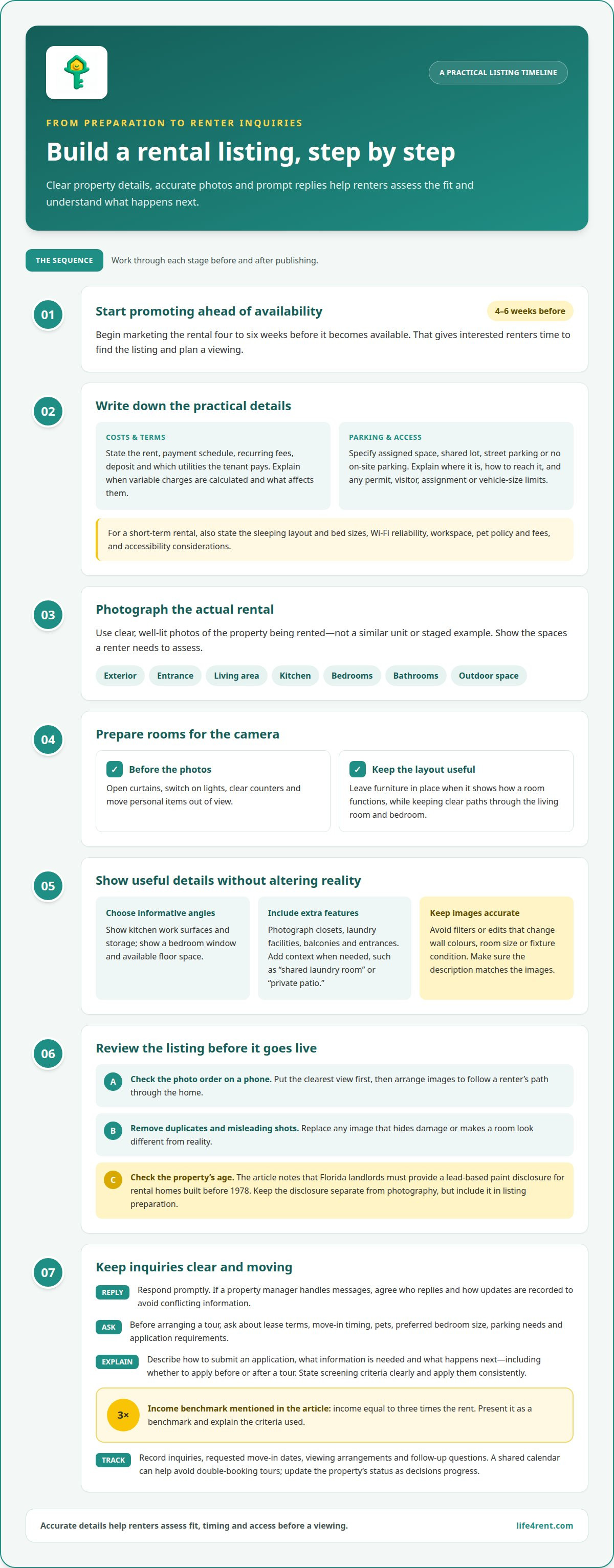
A rental listing is more likely to attract useful inquiries when it pairs clear, well-lit photos of the actual property with practical details, including parking, and prompt replies to renters. Start promoting it four to six weeks before it becomes available, giving interested people time to find it and plan a viewing. Creating a rental listing that converts means treating it as an ongoing process, not just a description.
It’s easy to focus on the headline or monthly rent, but renters also need to picture daily life in the property and understand what to do next. Clear photos and concise, specific information help them judge whether it’s a fit; prompt, direct answers keep serious interest moving. This guide covers what to photograph, which details to include, how to handle inquiries and applications, and why advance marketing matters. Use the checklist to present the property accurately and help suitable renters respond, with less avoidable back-and-forth about fit, timing, and access.
Professional listing photography
State the rent, payment schedule, recurring fees, deposit, and which utilities the tenant pays. Explain when variable charges are calculated and what affects them, so renters can compare the full ongoing cost.
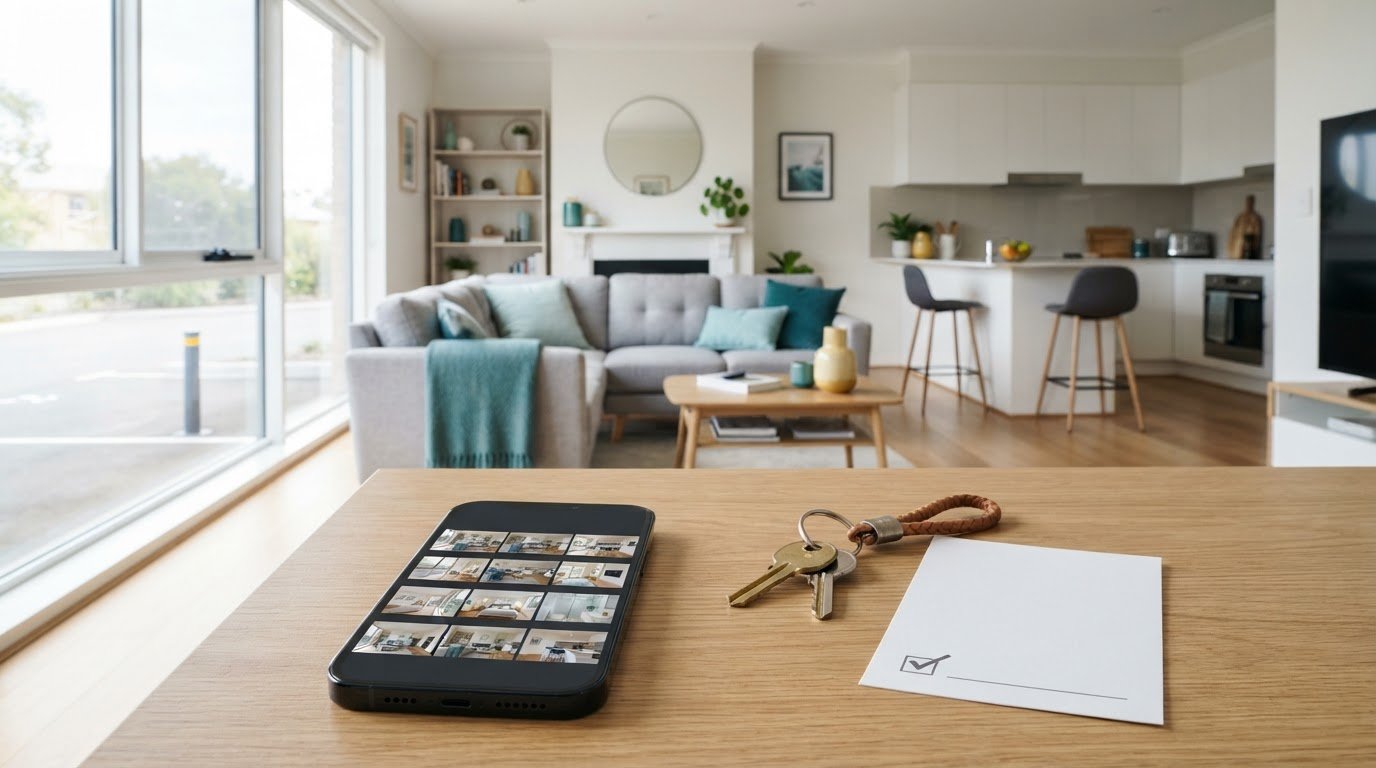
- Photograph the actual rental, not a similar unit or a staged example. Start with a bright exterior view, then show the entrance, living area, kitchen, bedrooms, bathrooms, and any outdoor space. Accurate images help tenants understand the property before arranging a visit.
- Prepare each room before taking photos. Open the curtains, switch on the lights, clear the counters, and move personal items out of view. Keep furniture in place when it shows how the room functions, but leave clear paths through the living room and bedroom.
- Choose angles that show the room’s shape and useful details. A kitchen photo should include work surfaces and storage; a bedroom view should show the window and available floor space. Avoid filters or edits that change wall colours, room size, or the condition of fixtures.
- Include clear images of features renters may ask about, such as closets, laundry facilities, balconies, and entrances. Add a caption when a photo needs context, such as “shared laundry room” or “private patio.” Make sure the description matches what the images show.
- Review the property’s age before publishing. According to the U.S. Environmental Protection Agency, Florida landlords must provide a lead-based paint disclosure for rental homes built before 1978. Keep this disclosure separate from photography, but make it part of the listing preparation process.
- Check the photo order on a phone before publishing. Put the clearest view of the property first, then arrange the images to follow a renter’s path through the home. Remove duplicate shots and replace any image that hides damage or makes a room look different from reality.
Stating parking availability and restrictions
Common mistakes include leaving parking unclear, describing shared spaces as private, or promising access that isn’t available. These details can deter applicants and create disputes if the listing conflicts with the lease or posted rules.
- Say exactly what comes with the rental: an assigned space, a shared lot, street parking, or no on-site parking. For example, write “one assigned driveway space” only if that space is reserved for the tenant.
- Explain where the space is and how drivers reach it. “Behind the building, beside the rear entrance” is more useful than “parking available,” especially when a lot has several entrances or a narrow access lane.
- List restrictions alongside the parking details. State whether spaces are unassigned, whether permits are required, and whether visitors can use the lot. If street parking depends on local signs or permits, explain that clearly.
- Describe relevant limits without guessing. If a garage has low clearance or a space cannot fit a larger vehicle, say so plainly. Don’t imply that every car will fit based on a photograph alone.
- Use consistent terms in the listing, lease, and any building notice. For example, don’t call a space “reserved” in the listing if the building assigns spaces based on availability. Clear wording helps applicants understand what they’re agreeing to.
- Answer parking questions directly before scheduling a viewing. Ask whether the renter needs a space, then explain the available arrangement and any restrictions. This can prevent a wasted visit when parking is essential to their decision.
The same clear-detail habit can help with everyday item listings on a peer-to-peer rental marketplace, where availability and pickup arrangements matter too.
For short-term rental listings, clearly state the sleeping layout and bed sizes, parking availability and restrictions, Wi-Fi reliability, workspace, pet policy and fees, and accessibility considerations. Begin promoting a rental listing four to six weeks before it is available. Before arranging an in-person tour, ask prospective tenants about lease terms, move-in dates, pets, preferred bedroom sizes, parking needs, and application requirements. Discussing parking helps ensure the tour matches the arrangement described in the listing.
Direct renter inquiries and applications
- Reply promptly when a renter contacts you. A timely answer keeps the conversation moving while they compare options. If a property manager handles messages, agree on who responds and how updates are recorded, so prospective tenants don’t receive conflicting information.
- Before arranging an in-person tour, ask about preferred lease terms and move-in timing. Find out whether the renter has pets, needs a particular bedroom size, or requires parking. These questions help both sides spot practical mismatches before setting aside time for a viewing.
- Explain the application process in plain steps. Tell applicants how to submit an application, what information they’ll need, and what happens next. For example, clarify whether they should apply before or after a tour. This is part of creating a rental listing that converts: renters know how to move forward.
- State your screening criteria clearly and apply them consistently. A common tenant-screening income benchmark is income equal to three times the rent. Present it as a benchmark, then explain the criteria you use without making exceptions seem arbitrary. Clear expectations help applicants decide whether to proceed.
- Keep a record of inquiries, requested move-in dates, viewing arrangements, and follow-up questions. A shared calendar can help a landlord or property manager avoid double-booking tours. Update the property’s status as decisions progress, so new applicants aren’t given outdated information.
- End each exchange with a specific next step. After a tour, tell the renter how to apply or when to expect an update. If they ask about a detail, answer directly and keep your response aligned with the listing. Consistent follow-through is another practical part of creating a rental listing that converts.
Planning listing marketing in advance
- Begin promoting the rental four to six weeks before it becomes available. This gives someone planning a move time to compare options, ask questions, and arrange a viewing. Set the start date based on the planned handover, then work backwards: prepare the property, finalize the listing details, and make time to handle inquiries.
- Build a simple calendar around the availability date. Schedule time to prepare and publish the listing, review responses, and host viewings. For example, reserve a calendar entry to check that the move-in date, lease terms, and application instructions still match the property’s current status.
- Choose marketing channels based on the renters you want to reach. A local listing platform may suit someone searching in a particular area, while community housing groups can help you reach people already planning a move there. Keep the core facts consistent across channels, then tailor the wording to each format.
- Prepare your response process before the listing goes live. Decide who will answer messages, how viewing times will be offered, and where you’ll record questions. A rental sales cycle can be less than 48 hours, so set a routine for checking new enquiries and updating availability as decisions progress.
- Review the listing after publishing instead of leaving it untouched until the rental date. If people repeatedly ask about a missing detail, add it to the description. If viewing requests conflict with your schedule, offer clear alternatives and update the calendar so applicants know which times are still open.
Use the four-to-six-week window to make the listing easier to act on, not simply to advertise it early. Check that the description answers practical questions about the home, move-in date, and how to request a viewing. Clear, consistent details help prospective renters decide whether to follow up and reduce the need to repeat the basics in every conversation.
Before promotion begins, read the listing as someone unfamiliar with the property would. Replace vague wording with confirmed details, and remove anything that no longer reflects the property’s status. Keep a copy of the final description handy when answering inquiries so your replies stay consistent with the published information. Update the listing promptly as plans change, and tell people with active inquiries about relevant changes.
Life4Rent: Life4Rent is a rental marketplace where users can list and rent daily items across 17 categories, including tools, electronics, outdoor and sports gear, homes, and baby products
Life4Rent is a rental marketplace for people who want to list or rent everyday items. It’s a natural next step if you’re looking to rent out an item rather than advertise a residential property. For example, someone with equipment they rarely use can create a listing, while a renter can look for something needed for a particular task.
Describe the item accurately, explain what’s included, and make pickup arrangements clear. These details help potential renters decide whether to inquire.
Visit life4rent.com to explore listing or renting everyday items.
Make Your Next Listing Easier to Act On
A listing is a working document, not a one-time task. Keep its information aligned with the property’s current availability and respond consistently as plans change. This helps renters make informed decisions and gives you a clear process to follow from the first inquiry to move-in.
A thoughtful approach to creating a rental listing that converts also makes your process easier to reuse. Keep a simple template for future listings, then adapt it to each property rather than copying details that may no longer apply. Review the wording before publishing and make sure it reflects what a renter will actually experience.
If your next goal is renting out everyday items rather than a home, Life4Rent offers a separate peer-to-peer marketplace for that purpose. Explore Life4Rent for listing or renting everyday items, and take your next step with clear, useful details.
Frequently Asked Questions
How do professional photos and video tours improve rental listing inquiries?
Professional photos and video tours help renters judge whether a property is worth pursuing before arranging a visit. A video walkthrough can show how rooms connect and how someone moves through the space, which is useful for renters relocating who may not be able to tour in person. Keep the footage current and representative: a clear view of the actual property helps applicants ask relevant questions and decide on a next step.
Life4Rent
Rent it. Earn from it. Own less, access more.
Browse peer-to-peer rentals near you, or list what you own and start earning — all protected by Life4Rent Protect.
About the author
London, United Kingdom
Fred covers rental technology, app features, and platform mechanics for the Life4Rent Renting Academy. With a background in fintech journalism, he specialises in breaking down how digital rental platforms work — from payment protection and identity verification to smart pricing and booking management.