DJ Equipment Rental for Wedding: A Practical 2026 Guide
May 27, 2026
Published by Life4Rent · Operated by Brohf Software OÜ
You don't need a degree in electrical engineering to ensure your wedding vows are heard clearly by every guest in the back row. Most couples feel buried in technical specs while searching for a DJ equipment rental for wedding celebrations, often worrying about hidden fees in traditional contracts. It's a common stress point when you just want a reliable dance floor and crisp audio for the speeches without the technical headache.
A reliable setup shouldn't feel like a high-stakes gamble with your budget. You'll learn exactly how to secure the right sound and lighting gear without the overhead of commercial rental houses. Peer-to-peer marketplaces like Life4Rent allow you to access gear from local owners who can explain the setup in plain English. This approach helps you avoid the confusion of professional audio where costs often multiply for no clear reason.
We'll break down the essential gear list and explain how to avoid the technical pitfalls that lead to day-of disasters. This practical look at the 2026 rental market focuses on simple setups that deliver clear results for your ceremony and reception.
Essential sound components for a wedding celebration
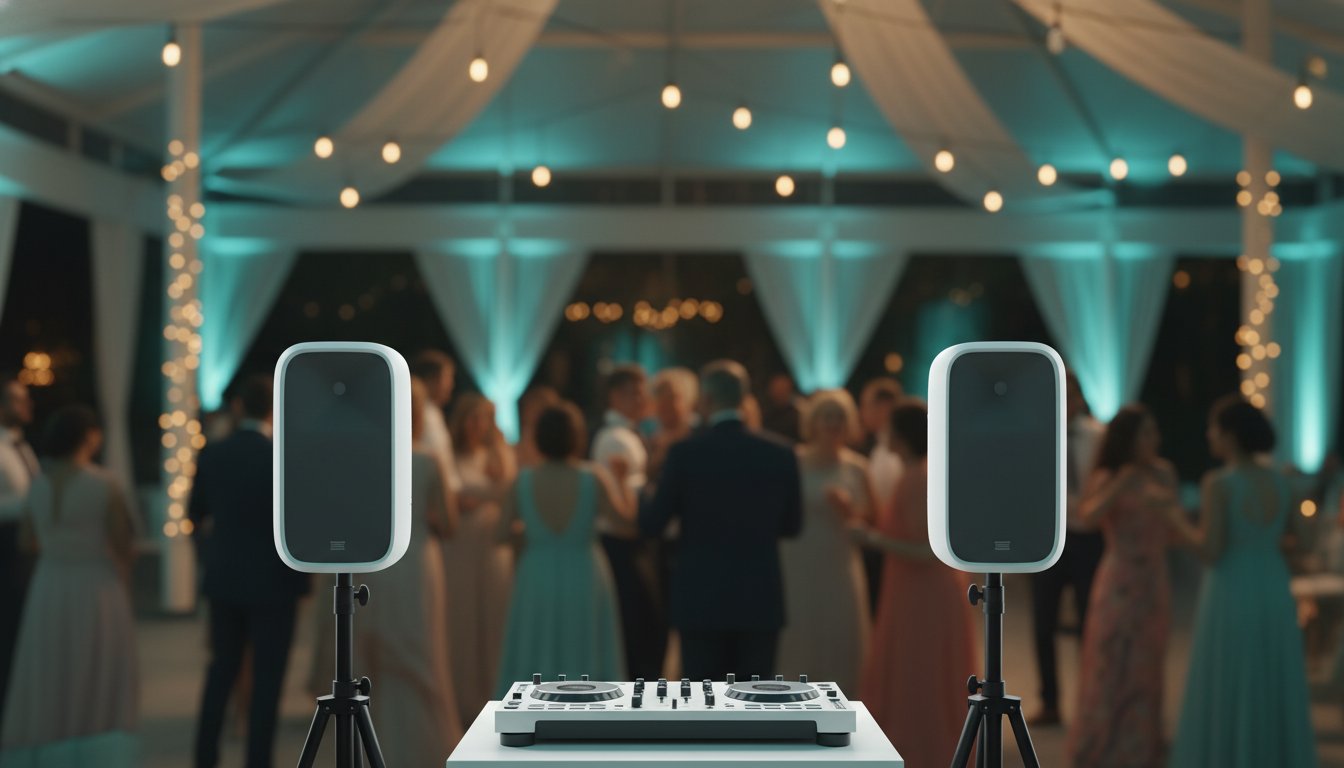
A DIY audio setup requires a basic understanding of the signal chain to avoid common mistakes. Most couples think they need a complex array of professional gear, but a standard DJ equipment rental for wedding needs usually consists of just four or five main items. A basic mixer acts as the brain of your system, allowing you to plug in a laptop, a phone, and multiple microphones at the same time. You can learn more about the history and role of the DJ to see how these tools have evolved from simple turntables to the digital interfaces we use today.
To better understand how these components work together in a real-world setting, watch this helpful video:
Powered speakers are the best choice for non-professionals because they have built-in amplifiers. This design eliminates the need for heavy external power units and complex wiring that often confuses first-time users. You simply plug the speaker into a wall outlet and run one cable to your mixer. Wireless microphones are another essential for the ceremony and reception. They prevent guests from tripping over cables during toasts and give the officiant freedom to move without being tethered to a stand.
Subwoofers add deep bass to the music, but they aren't always necessary for every event. If your reception is a relaxed dinner with light background music, the main speakers will handle the sound just fine. You should only add a subwoofer if you want a heavy dance music feel for the party later in the evening. These units are heavy and take up significant space in a car, so it's best to consider the logistics before adding them to your rental list; if you find yourself needing a more capable vehicle for hauling event gear, V8Loans provides access to a range of secured vehicle financing options.
The core audio package
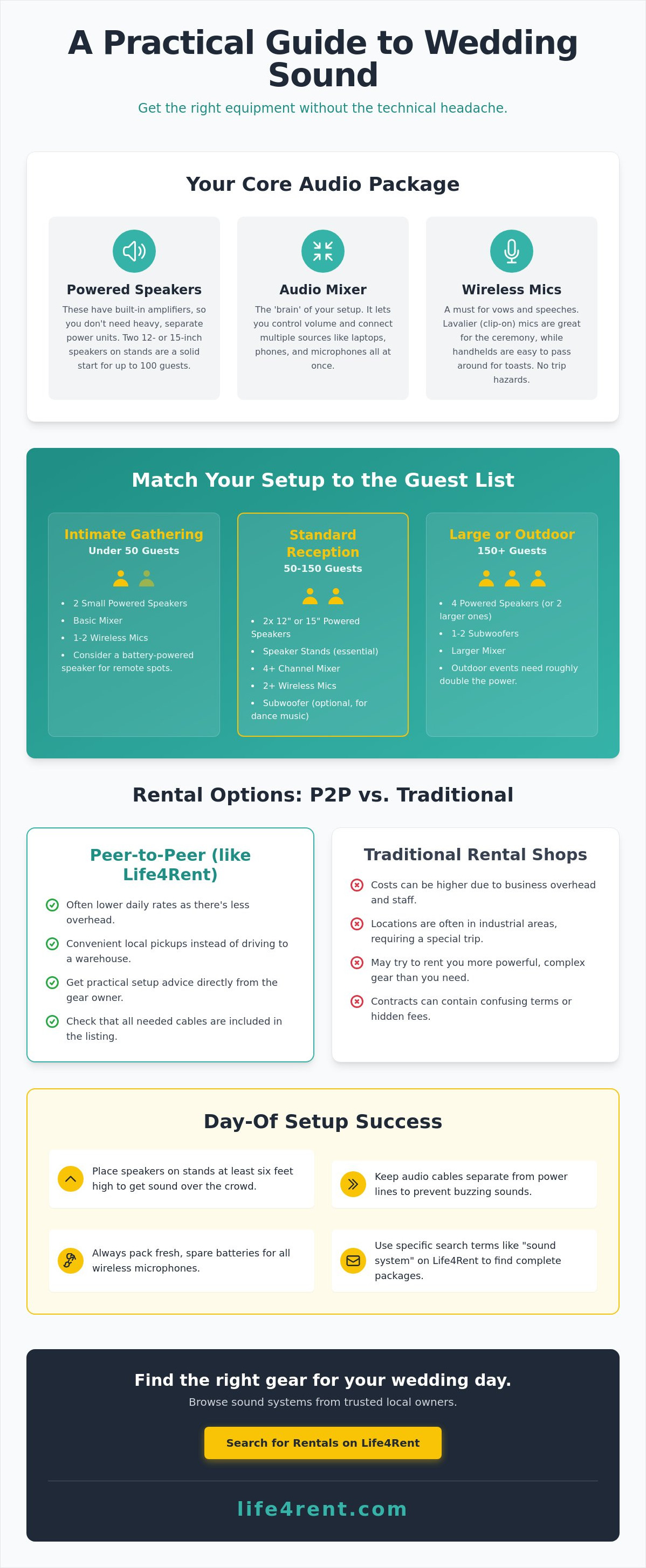
Two 12-inch or 15-inch powered speakers are usually enough to provide clear sound for about 100 guests in a standard indoor room. Speaker stands are vital because they lift the sound above the heads of the crowd, ensuring the people in the back can hear clearly. You'll need a mix of XLR cables for the speakers and 3.5mm or USB adapters to connect your music source to the mixer. Always ask the equipment owner on Life4Rent to include these specific cables so you don't have to buy them separately at the last minute.
Microphones for vows and speeches
Lavalier microphones are small, clip-on units that work best for the officiant and the couple during the ceremony. They stay out of the way and capture clear audio even if the person speaking turns their head. Handheld wireless mics are a better fit for the reception toasts since they are easy to pass between different speakers. Every wireless unit needs a fresh set of batteries at the start of the day. You should keep a pack of spares in your kit, as wireless receivers can drain power faster than expected during long events.
Comparison of audio setups for various venue sizes
Venue size and environment change your gear requirements significantly. A stone church creates echoes that can make vows sound muddy, while a tented reception absorbs sound, requiring more volume to reach the back rows. You'll need to adjust your DJ equipment rental for wedding choices based on these physical factors. Outdoor settings are especially challenging because there are no walls to reflect the audio back to your guests. In these open spaces, sound drops off quickly. You often need twice the power you'd use indoors for the same number of people to ensure the music doesn't sound thin.
Some ceremony sites don't have power outlets nearby. Modern battery-powered speakers offer a practical solution for forest or beach weddings. These units usually last for four to six hours on a single charge, which is plenty of time for a ceremony and cocktail hour. You can find these portable options by browsing listings on Life4Rent to see what local owners have available in your area.
Knowledge of the essential sound components for your specific venue helps you avoid overspending on gear you don't need. Most traditional rental houses try to push high-wattage systems that are overkill for a standard hall. You should focus on the guest count first, then consider the venue's layout and building materials.
Intimate gatherings (under 50 guests)
Smaller groups don't need a wall of sound. A single 10-inch or 12-inch powered speaker on a stand usually covers background music and speeches effectively for up to 50 people. You can use a compact mixer to keep the setup footprint small, which is helpful if you're placing the gear on a gift table or a small bar. Wired microphones are a smart choice here because they don't suffer from the frequency interference that sometimes plagues wireless units in dense urban areas. This simple approach keeps your budget low while maintaining high audio quality.
Large receptions (150+ guests)
Large crowds act like acoustic sponges, soaking up sound before it reaches the back of the room. A four-point speaker setup, where a speaker is placed in each corner of the room, ensures even coverage without blasting the people in the front row. You'll definitely want a dedicated 15-inch or 18-inch subwoofer for the dance floor once the party starts. Professional-grade mixers are also useful for a large DJ equipment rental for wedding package because they offer better "gain" control. This feature helps prevent that piercing screech of feedback when someone stands too close to a speaker with a microphone.
Peer-to-peer marketplaces versus traditional rental shops
Traditional rental houses often focus on large corporate contracts and high-volume events. They maintain significant overhead costs for warehouses and full-time staff, which usually leads to higher prices for a DJ equipment rental for wedding. P2P platforms like Life4Rent operate differently by connecting you directly with local gear owners. This community-based model cuts out the middleman and often reduces the daily rate for professional-grade audio equipment.
Local owners in your neighborhood make the logistics of your wedding week much simpler. You won't have to drive across the city to a commercial district during limited business hours to pick up your speakers. Most lenders on marketplaces are flexible with pickup and drop-off times because they aren't bound by rigid corporate schedules. This flexibility saves you hours of stress when you're trying to manage multiple vendors at once.
Direct communication with owners allows you to ask specific questions about the equipment history. You can find out if a mixer has any specific quirks or if a microphone has a reliable battery life for long ceremonies. This knowledge is vital for a successful equipment setup because it removes the guesswork common with bulk inventory from a big shop.
Cost and convenience factors
Commercial rental shops often require expensive short-term insurance or high security deposits that can tie up your wedding budget for weeks. For couples looking for more flexibility with their event spending, I Need Cash offers a way to explore financial products that can help cover these upfront costs. P2P platforms usually replace these hurdles with smaller, transparent service fees that are easier to manage. Local owners might even include extra items like cables or speaker stands for free just to be helpful to a neighbor. You can prioritize value and ease by looking for these benefits:
- Lower daily rates due to zero warehouse overhead.
- Flexible pickup locations near your home or the wedding venue.
- Direct advice from owners who know exactly how their gear performs in different settings.
Trust and reliability in P2P
Platform protection plans offer a safety net that traditional "rent at your own risk" agreements often lack. Life4Rent provides an optional program that covers damage or loss, giving both the owner and the renter peace of mind during the celebration. Verified user profiles also help build confidence before you ever meet to exchange the gear. Marketplaces provide a modern alternative to ownership, as explained in our guide to Peer to Peer Equipment Rental: A Practical Guide for 2026. This trust-based system ensures you get working equipment without the corporate red tape found at traditional rental houses.
Practical steps for a successful equipment setup
Setup day is often chaotic with multiple vendors moving through the venue at once. You'll need a structured plan to ensure your DJ equipment rental for wedding performs without a hitch. Most technical issues happen because people rush the process right before the ceremony begins, leading to loose connections or poor placement.
Place your speakers on stands so the bottom of the cabinet is at least six feet high. This height allows the sound to travel over the heads of your guests rather than being muffled by the front row. Sound dispersion improves significantly when the audio drivers are above ear level for everyone in the room.
Keep your audio cables and power cords separate to prevent an annoying low-frequency hum or buzzing sound. If they must cross, do so at a 90-degree angle rather than running them parallel to each other. Use gaffer tape to secure every floor cable, especially in high-traffic areas near the bar or dance floor to prevent guests from tripping.
Perform a full sound check at least two hours before guests arrive. This window gives you enough time to fix a bad cable or find a spare battery without the pressure of an audience. Test the music at the actual volume you'll use during the party to see how the room responds to the bass levels.
You can browse available sound systems on our marketplace to find a setup that's easy to assemble for any venue type.
Connecting the system
Always connect your mixer to the speakers before you plug anything into a power outlet. Set every volume knob and fader to zero before you hit the power switch to avoid damaging the speaker cones with a sudden loud pop. You should stand exactly where the speeches will happen to test the microphone, as the acoustics change when you move away from the main audio gear.
Troubleshooting common issues
Feedback loops are that high-pitched screeching sound caused when a microphone is too close to a speaker. Move the speaker forward or the person speaking further back to break the loop instantly. Static noise usually points to a loose XLR connection or interference from a nearby Wi-Fi router. If you hit a moment of dead air, check the mute buttons on the mixer and the music player first, as this simple error causes most sudden silences.
Securing your event gear through Life4Rent
Start your search by entering "sound system" or "DJ mixer" into the marketplace search bar. This simple step reveals the variety of options nearby for a DJ equipment rental for wedding event. You should read every owner’s description carefully to confirm they include all the necessary XLR or power cables. It’s a common mistake to assume these are part of every package, but some owners might list them as separate items or add-ons. Clear communication about these small details prevents a frantic trip to an electronics store on your wedding morning.
Message the owner directly to confirm their gear is available for your specific wedding dates. You don’t want to rely on the calendar alone during the busy summer wedding season. Ask them about the weight of the speakers if you’re picking them up yourself, as some professional units require two people to lift safely. Arrange a pickup time at least two days before the ceremony. This buffer allows for a full practice setup at home, or even a session at a professional facility like Book a DJ Studio, so you aren't learning how to use the mixer under the pressure of a tight venue schedule.
Finding the right listing
Filter your results by location to keep your travel time under 30 minutes. This helps you avoid long drives on a weekend when you’re already busy with rehearsals and family. Look for listings with clear, high-quality photos that show the inputs and outputs on the back of the gear. You can often find "bundle" listings that include speakers, microphones, and basic dance floor lights for a lower total price than renting each piece individually. These all-in-one options simplify your logistics and ensure all the components are compatible with each other. Peer-to-peer listings often include these helpful extras because the owners want to ensure you have a successful event.
Booking and insurance
Use the platform’s secure payment system to handle the transaction. This keeps your money safe and ensures there’s a digital record of the agreement. You can opt for the 3% protection plan at checkout, which covers potential damage or loss up to €2,500. This is a practical alternative to the expensive insurance policies required by commercial shops. Ask the owner for a five-minute demo during the hand-off to see the gear in action. This brief walkthrough helps you understand the specific controls for each unit. You can learn more about these community-based options in our guide to Audio Equipment Rental: A Practical Guide to P2P Sound Solutions in 2026. These steps ensure your DJ equipment rental for wedding setup is reliable and ready for the big day.
Plan your wedding sound with confidence
You can handle your own audio setup without the high overhead of professional rental houses. Focus on matching your speaker power to your venue size and always give yourself a few hours for a thorough sound check before guests arrive. These simple steps ensure your vows and speeches remain the focus of the day rather than technical glitches.
Peer-to-peer marketplaces provide a transparent way to access high-quality gear from people in your own neighborhood. You'll avoid rigid store hours and large deposits while getting direct advice from the equipment owners. It's a practical way to manage a DJ equipment rental for wedding budget while still getting the performance you need for a great party.
You can find affordable DJ equipment for your wedding on Life4Rent to see what is available near you today. Our platform connects you with verified local owners and uses a secure P2P payment system to protect your transaction. You'll find a wide range of audio and lighting gear to fit any venue size or guest count.
Preparation is the key to a stress-free celebration. Once your gear is tested and the cables are taped down, you can relax and enjoy the music with your guests.
If your wedding plans include a more unique venue, such as a private cruise in Southern California, Happiest Ours provides luxury yacht charters that can accommodate specialized audio setups for an unforgettable experience on the water.
For weddings taking place in the Middle East, you might also consider providing premium guest amenities through local specialists like VapeShop.bh, which offers a wide range of electronic cigarette products in Bahrain.
For businesses looking to reach new audiences or individuals seeking local insights, you can learn more about the digital media and marketing solutions available through our featured urban media platform.
Frequently Asked Questions
Is it better to rent a full DJ system or individual components?
A full DJ system is usually the safest choice for a DIY wedding. Owners who list bundles have already tested that the mixer, speakers, and cables are compatible. This approach saves you from the stress of finding out a specific cable doesn't fit on the morning of your event. Most technical issues are avoided when you get a pre-configured package.
Can I use my home stereo speakers for a wedding reception?
Home speakers aren't designed to fill a large room with 100 guests. They often overheat or distort when you push them to the volumes required for a dance floor. Professional PA speakers are built for this exact purpose and will provide much clearer sound without the risk of blowing a fuse mid-party. You'll get a more reliable performance from gear meant for live events.
What happens if the rented DJ equipment fails during the wedding?
A thorough check of the gear during the hand-off is the best way to prevent failures. If an issue occurs during the event, most problems are simply loose cables or incorrect settings on the mixer. You should keep the owner's contact information handy, as a quick message can often solve a technical hurdle. You'll find that a spare XLR cable in your bag is also a smart backup.
Do I need a special license to play music at my wedding venue?
Venue managers usually handle the music performance licenses for their property. You should confirm this with your point of contact before finalizing your DJ equipment rental for wedding arrangements. If you're hosting the event in a private garden or a public space, you may need a local permit for amplified sound. It's best to check these legal details early in your planning process.
How much should I budget for DJ equipment rental for a 100-person wedding?
A budget for a 100-person event typically involves two powered speakers, a mixer, and a wireless microphone. P2P marketplaces often provide these setups at a lower cost than commercial houses because there is no warehouse overhead. This helps you find high-quality gear without the high deposits of a traditional shop. You can browse specific listings in your neighborhood to get a realistic idea of the local rates for a DJ equipment rental for wedding.
How far in advance should I book my rental gear?
A booking made three to four months before the wedding is ideal. Popular items like battery-powered speakers for outdoor ceremonies disappear quickly during the peak summer months. An early booking ensures you find a lender near your venue, which reduces the time you'll spend in the car during your wedding week. You'll likely have to settle for older or more expensive gear if you wait until the last minute.
What kind of lighting should I rent along with the sound equipment?
LED uplights and a simple wash light for the dance floor are the most practical choices. Uplights add color to the walls and create a warm atmosphere for dinner without needing complex programming. A single sound-activated light for the dance floor provides enough movement to get people moving once the party starts. You don't need a complex light show to make the venue look festive.
Is a subwoofer really necessary for a wedding dance floor?
Subwoofers are only necessary if you want a high-energy dance floor with deep bass. A pair of 15-inch speakers can handle background music and speeches for 100 people quite well. However, if your guest list loves modern dance music, adding a subwoofer provides the physical thump that standard speakers can't replicate. It makes the music feel more immersive once the formal parts of the evening are over.
Life4Rent
Rent it. Earn from it. Own less, access more.
Browse peer-to-peer rentals near you, or list what you own and start earning — all protected by Life4Rent Protect.
About the author
Tallinn, Estonia
Philip leads editorial at the Life4Rent Renting Academy, overseeing guides on peer-to-peer rental, platform safety, and consumer finance across 25 markets. He has spent over a decade covering the sharing economy and digital marketplaces, helping renters and owners navigate the shift from ownership to access.