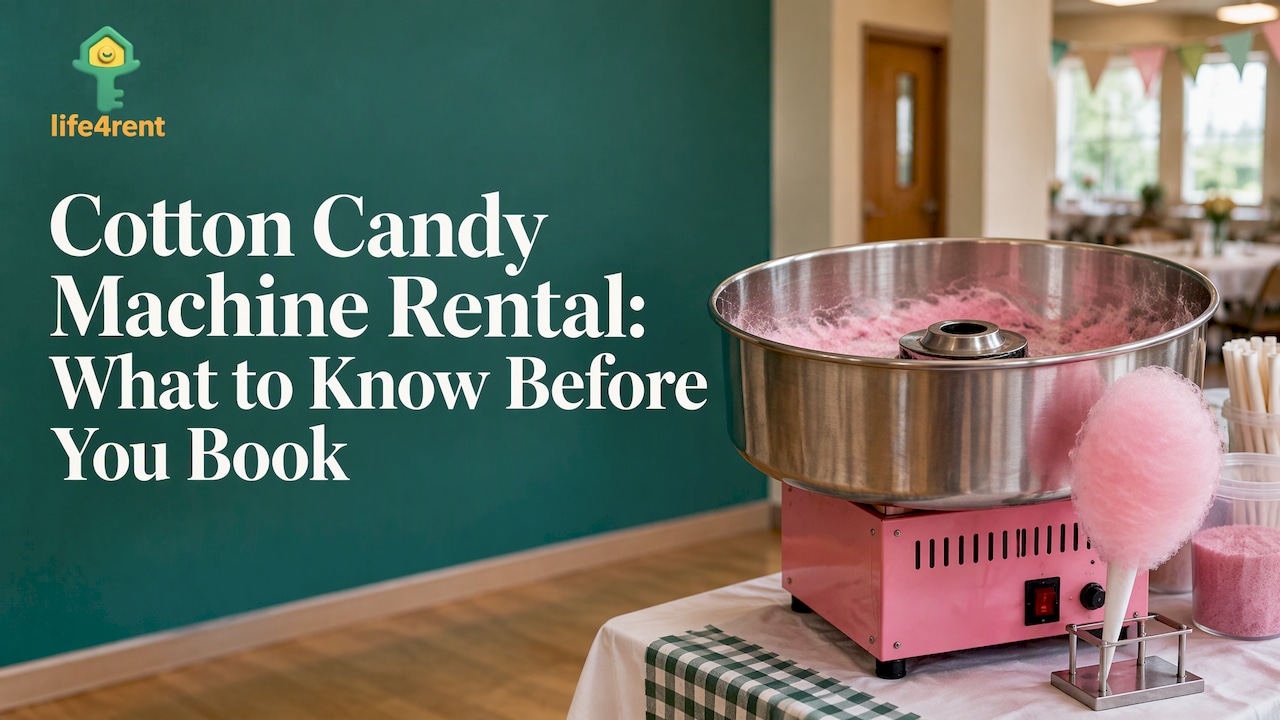
Cotton Candy Machine Rental: What to Know Before You Book
November 29, 2026
Published by Life4Rent · Operated by Brohf Software OÜ
Cotton Candy Machine Rental: What to Know Before You Book
Renting a cotton candy machine is one of the easiest ways to add a crowd-pleaser to a birthday, school fair or wedding, and the best way to do it is to book from a neighbor who owns one nearby, with dates, pickup and payment sorted in one place. On Life4Rent you can search by item, location and dates, and owners with a machine sitting in the closet can list it and earn from it. This guide covers what a machine needs, what a rental should include, how to run it safely, and how to book or list one.
TL;DR
- A cotton candy machine needs a grounded 120 V outlet in the US, a level surface, floss sugar and cones or paper bags. Plan these before the day.
- Rental prices are set locally by each owner and depend on the machine, the length of the rental and whether supplies are included. Always confirm what is in the listing.
- Pickup is the usual arrangement for small machines. Agree on a time, check the machine together and agree on how it comes back clean.
- Never add sugar while the head is spinning, and keep children under 18 supervised around the machine.
- Owners can list a machine they use a few times a year and turn idle equipment into rental income.
Table of Contents
- Why renting beats buying for most events
- What a cotton candy machine needs to run
- What should be included in a rental
- What does it cost to rent one?
- How to run it safely
- Tips for a smoother cotton candy station
- Build the rest of the event from nearby rentals
- If you own a machine: listing it
- Our perspective
- Find a cotton candy machine near you
- FAQ
- Sources
Why renting beats buying for most events
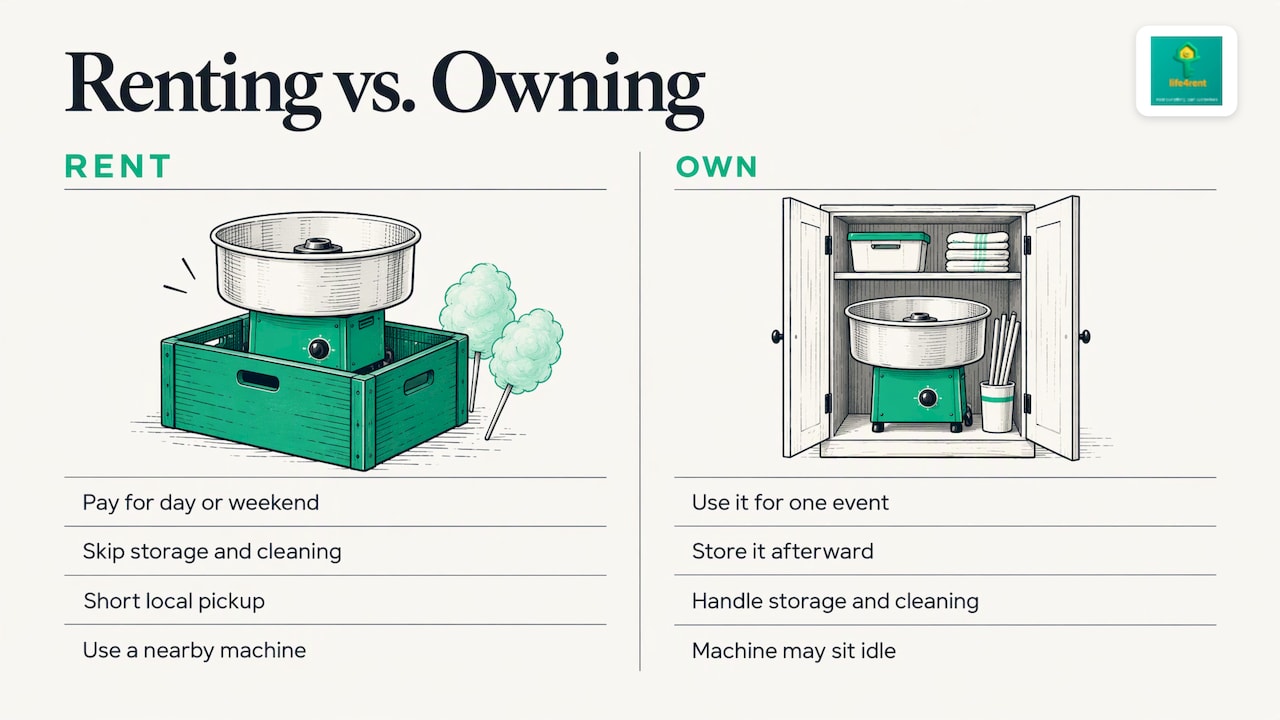
A cotton candy machine is a single-purpose appliance. Most families use one for a birthday, a school carnival or a holiday party, then it sits in a cupboard for the other fifty weeks. Renting means you pay only for the day or weekend you need it and skip the storage and cleaning that come with ownership.
For event organizers the logic is the same. A fundraiser, a church festival or a company picnic needs the machine for a few hours. Renting from a local owner keeps the cost proportionate to the event and keeps the pickup short.
The other side of that is just as practical. Someone in your area bought a machine for their own kid’s party and has not used it since. When that owner lists it, you get a machine that is probably a short drive away, and they get income from something that was idle. That is the idea behind a peer-to-peer marketplace: the item already exists nearby, and sharing it is cheaper for everyone than each household buying one.
What a cotton candy machine needs to run
Before you book, make sure your venue can support the machine. The basics are simple, but missing any one of them can stop the party.
Power
Home and commercial countertop machines in the US run on standard household current. One widely used model’s instruction manual specifies a properly grounded 120 V, 60 Hz supply matching the machine’s nameplate, and recommends a dedicated, protected circuit with the plug going straight into a wall outlet. In practice that means:
- Use a wall outlet close to where the machine will sit.
- Avoid sharing the circuit with a popcorn machine, a coffee urn or a bounce house blower if you can.
- Check the nameplate on the machine when you pick it up and confirm it matches your outlet.
At an outdoor event, ask the venue which outlet is on which circuit before the day, not during setup.
A safe place to set it up
The machine needs a level, stable, clean, dry surface that tolerates heat. Another manufacturer’s manual asks for at least 20 cm (about 8 inches) of open space around the appliance for ventilation. A sturdy table works, and so does a low stand, which makes it easier for children to watch without getting close to the head. Keep it out of wind, because a breeze blows the floss around the bowl and onto the floor.
Sugar, cones and extras
A machine does not make candy from ordinary sugar. The Gold Medal manual recommends ready-to-use floss sugar, which is sugar with color and flavor already mixed in, and notes pure cane or beet sugar also works. Parts Town’s usage guide advises floss sugar rather than table sugar, and lists a cone or wand and an airtight container or plastic bag for storing finished candy as the basics.
A typical shopping list:
- Floss sugar in the flavors you want. Buy more than you think, since you will lose some to practice rounds.
- Paper cones or sticks for serving.
- Bags or airtight containers for take-home candy.
- A floss bubble or shield, which the Gold Medal manual recommends for added protection of customers.
- A sugar spoon and a cover for the machine, which one manual lists as an accessory and as not included.
Some machines come with a stabilizer and clips to keep them steady. Confirm which of these items the owner includes in the listing, so you only buy what is missing.
What should be included in a rental
A rental is easier when everyone knows what changes hands. Before you confirm a booking, ask the owner to list in the message or listing:
- The machine itself, with the bowl or floss pan, the head and the power cord.
- Accessories: stabilizer, clips, bubble, sugar spoon, cover.
- Supplies: whether sugar and cones are included, or whether you bring your own. Small party packages often include a modest starter amount, while others leave supplies to the renter.
- Rental length: a few hours, a full day or a weekend. Pickup rentals are usually measured in days.
- Pickup or delivery: small countertop machines are easy to carry in a car trunk, so owners often prefer pickup. Confirm the address and time window.
- Return condition: how clean the machine should be and when it is due back.
Written answers to these questions prevent most misunderstandings. On Life4Rent you can message the owner through the listing and agree on these points before you book.
Pickup and return, step by step
- Agree on a time. Pick a pickup window that leaves you an hour or two before the event for a trial run.
- Check the machine together. Look at the bowl, head, cord and plug. Take a photo of anything that looks worn so both sides have the same record.
- Transport it upright and padded. Wrap the head and bowl separately if the owner says they come apart, and keep the cord clear.
- Set up early. Do one test batch so you know the timing and the sugar amount.
- Clean it before return. Let it cool, unplug it and wipe it down following the owner’s notes.
- Return on time. Late returns can affect the next renter’s booking.
What does it cost to rent one?
There is no single national price, and it is worth being skeptical of any article that claims one. Rental prices for a cotton candy machine are local. They shift with the machine’s size and quality, the number of days, whether sugar and cones come with it, and whether the owner delivers. A heavier commercial-style unit usually costs more than a small party model, and a weekend costs more than a single evening.
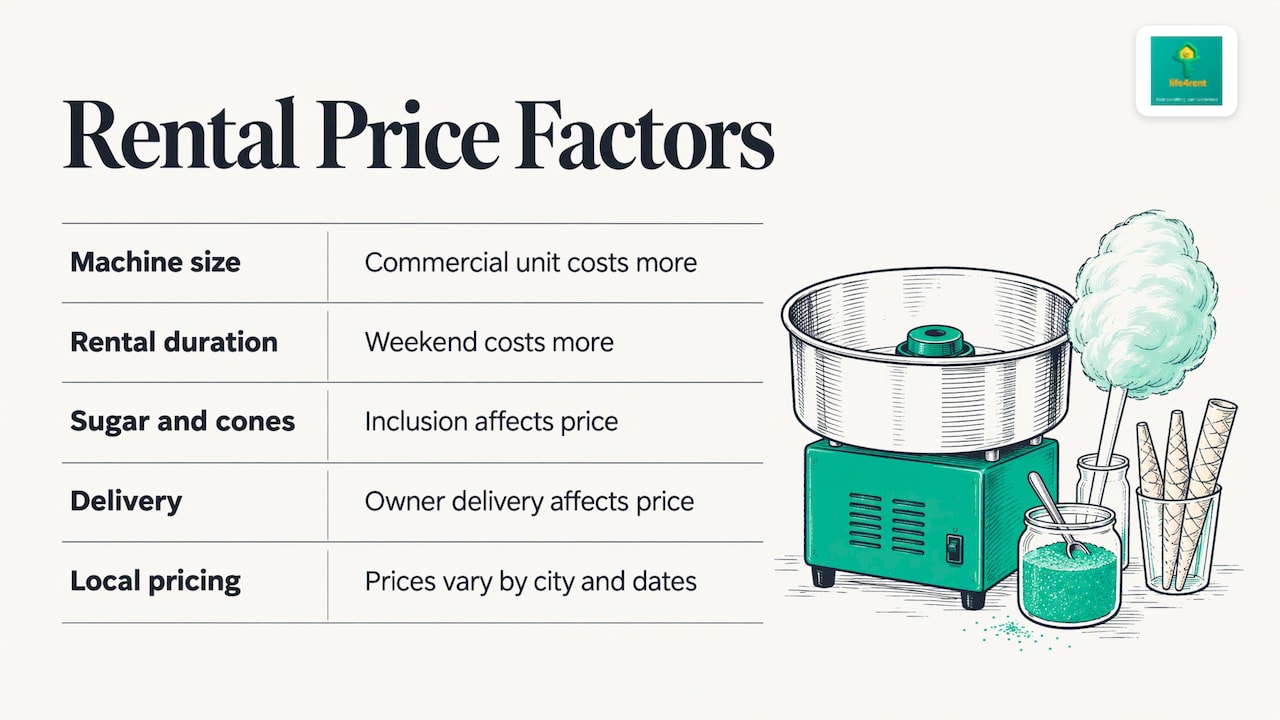
On Life4Rent, each owner sets the price on their own listing, so the number you see is the number for that machine, dates and location. Searching by your city and your event dates shows what is actually available in your area. Add the cost of floss sugar and cones to your budget too, since these are consumables you use up on the day.
Estimating your total
For a simple budget, add these lines:
| Item | What to check |
|---|---|
| Machine rental | Price per day or per booking on the listing |
| Sugar and cones | Included, or bought separately |
| Delivery | Offered by the owner, or pickup only |
| Stand or cover | Included or extra |
| Optional protection | Offered on the platform for bookings |
A quick way to plan servings: decide how many guests you expect, then buy enough supplies for each guest to have one and a little extra for the practice batch.
How to run it safely
Cotton candy machines are simple, but the head spins fast and gets hot. These rules come from manufacturer manuals and cover what matters most at a party.
Before you start
- Plug the machine into a properly grounded outlet. The WebstaurantStore manual says the unit must use an appropriately grounded outlet.
- Allow 2 to 3 minutes for heat-up, according to the same manual.
- Keep hands away from the hot, high-speed head.
While you make candy
- Turn the machine off before adding sugar. Parts Town warns that refilling while the head rotates can eject sugar toward your eyes.
- Use the sugar the machine is designed for. The Gold Medal manual warns against a heat setting that makes sugar smoke, and says to lower the heat once floss begins to form.
- Give the machine a break. The WebstaurantStore manual says to let it cool for 15 to 20 minutes after an hour of continuous use. At a long event, plan a break and keep serving from the finished bags.
Who should operate it
The same manual says no one under 18 should operate the machine unsupervised. At a kids’ party, one adult runs the machine and children watch from a safe distance. Kids can add the fun by choosing colors and holding cones.
Shutting down and cleaning
The Gold Medal manual says to switch the heat off and let the motor run for at least one minute to cool the head before you stop the motor. After that, switch off and unplug the machine before you clean it, as the WebstaurantStore manual directs. Once it has cooled, wipe the bowl and surfaces following the owner’s notes and put the cover on if one is included.
Tips for a smoother cotton candy station
- Make candy in batches during quiet moments and bag it, so lines move fast.
- Store finished candy in airtight bags or containers. Humidity makes floss shrink and turn sticky.
- Use a low stand so children can see the floss form from a safe distance.
- Keep the area clear of cords that someone could trip on.
- Match flavors to the theme: pink and blue for a birthday, white or pastel for a wedding, team colors for a school fundraiser.
Build the rest of the event from nearby rentals
A cotton candy machine is rarely the only thing you need. Many Life4Rent categories fit the same event: Party & Production, Event Spaces, Decor & Furnishings and Outdoor & Sports. For a larger party, you can pair the machine with a sound equipment rental for music, a projector screen rental for an outdoor movie night, or a wedding arch rental for a ceremony. Booking from one marketplace keeps the location and dates in a single search.
If you own a machine: listing it
A cotton candy machine is a good item to list because it is small, easy to hand over and wanted on weekends and holidays. Owners who list on Life4Rent can publish a listing, add details about what is included, and track earnings from the items they share. Here is how to make a listing useful:
- Describe the machine clearly. Name the model if you know it, and say whether it is a small party unit or a heavier commercial type.
- List what comes with it. Bowl, stabilizer, cover, bubble, spoon, and any starter sugar or cones.
- State the voltage. In the US, say it runs on a standard 120 V outlet, as these machines typically do.
- Say how pickup works. Small machines go in a car, so many owners choose pickup and set a time window.
- Add care notes. Ask renters to let the machine cool, unplug it and wipe it down before returning it.
- Photograph the machine from several angles so renters know what to expect.
Optional protection is available on the platform, and identity verification tools support trust between owners and renters. Owners can use these to feel comfortable lending equipment to someone they have not met.
Our perspective
Most people need a cotton candy machine once or twice a year. That is the clearest example we know of why sharing makes sense. One machine in one neighborhood can serve a dozen parties a year, instead of twelve households each buying their own and storing it.
We built Life4Rent around that idea. Renters search by item, location and dates, and see what is actually available near them. Owners list what they do not use all the time and earn from it. Payments are handled securely, identity verification supports trust on both sides, and optional protection is available for bookings.
Our catalog spans 17 categories, so the same search that finds a cotton candy machine can also find the tables, speakers, decor or space for the rest of your event. We think that is the practical way to plan a party: one place, nearby owners, clear dates.
the author
Find a cotton candy machine near you
Life4Rent is a worldwide peer-to-peer rental marketplace with 17 categories, from gadgets and party equipment to event spaces and vehicles. Search by item, location and dates, message the owner about what is included, and book with secure payment handling. If you want to see the steps first, How to Rent on Life4Rent walks through them, or you can go straight to the public listing catalog and search for a machine in your area.

Owners with a machine at home can list it from the same site at life4rent.app.
FAQ
What does a cotton candy machine need to work?
It needs a grounded outlet, a level and heat-resistant surface, and floss sugar. In the US, a common model’s manual calls for 120 V at 60 Hz. You also need cones or sticks to collect the floss, and bags or airtight containers if you want to store it.
How much does it cost to rent a cotton candy machine?
Prices are local and set by each owner, so they vary with the machine, the rental length and whether sugar and cones are included. Check the price on each listing for your dates, then add the cost of supplies if they are not included. Searching your city on Life4Rent shows the options available for your event dates.
Can I use regular sugar?
Floss sugar is the safest choice, and Parts Town’s guide advises it over ordinary table sugar. Manufacturer manuals for specific machines may name other options, so follow the instructions that come with the machine you rent and ask the owner which sugar they recommend.
How long can the machine run at my event?
The WebstaurantStore manual says to let the machine cool for 15 to 20 minutes after an hour of continuous use. For a long party, make batches ahead, bag them and give the machine its rest. Your owner may add their own guidance for the machine they list.
Can kids use the machine?
The same manual says no one under 18 should operate it unsupervised. Let one adult run the machine and have children watch from a safe distance, then hand them the finished cone.
Sources
- Gold Medal Breeze cotton candy machine instruction manual
- Hendi cotton candy machine manual
- WebstaurantStore cotton candy machine manual
- Parts Town cotton candy machine usage guide
Recommended
Life4Rent
Rent it. Earn from it. Own less, access more.
Browse peer-to-peer rentals near you, or list what you own and start earning — all protected by Life4Rent Protect.
About the author
Amsterdam, Netherlands
Joshua writes about the financial side of renting and earning on Life4Rent. His guides focus on helping people understand the real cost of ownership, calculate rental income potential, and make smarter decisions about buying versus renting. He previously wrote on household economics and personal budgeting for a pan-European finance publication.